Normally, this series is called ‘Apps for Windows’, but this one is titled for Windows 7 because the application is made specifically for this OS. This must be one of the first third-party applications that support Jump Lists, Taskbar previews and even controls in the previews like Windows Media Player does.
Made by Neowin member Baptiste Girod (daty2k1), Gmail Notifier Plus is a unique application that does what Windows Live Mail doesn’t. It notifies you when you have new email in your Gmail account through a notification on its taskbar button, which works like a charm. It doesn’t pop up an ugly notification but instead looks pleasing.
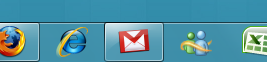
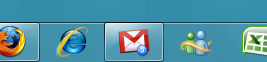
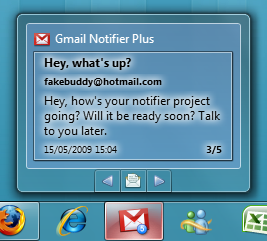
Want to see a preview of the new mail? Hover over the taskbar button, and it’ll show you snippets of your new mail. You can use the arrow buttons to navigate between new mails right there in the thumbnail preview.
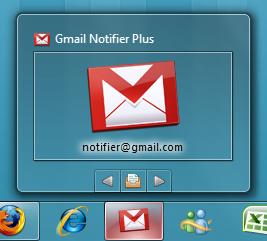
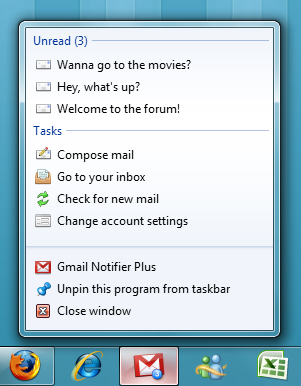
The emails also show up in the Jump List along with common tasks such as compose email, go to inbox, check for new email and account settings.
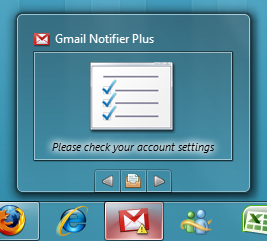
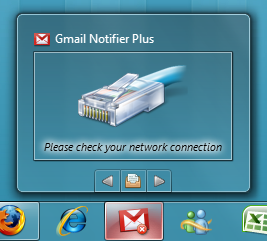
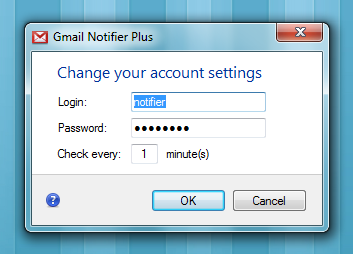 The thumbnail is used very smartly and lets you know when there’s an issue and you should be checking your account settings or when your network connection is not working.
Now only if Microsoft would learn from it and implement such features in Windows Live Mail and Outlook. You can download this wonderful application here. Note that you might find some bugs in it, so do remember to give your feedback.
Jump lists and taskbar previews along with controls are new features introduced with Windows 7. They show when an app is pinned to the new and improved taskbar in Windows 7. Jump lists provide quick shortcuts to locations inside an app, taskbar previews show a preview of the app’s interface and controls let users access things like playback controls or other types of buttons without opening the app, just from the taskbar preview.



@shanselman have you tried this GMail notifier? http://tinyurl.com/n29ph8
Another Gmail Win7 Notifier! RT @imhassan: have you tried this GMail notifier? http://tinyurl.com/n29ph8
RT @shanselman: Another Gmail Win7 Notifier! RT @imhassan: have you tried this GMail notifier? http://tinyurl.com/n29ph8
This is a very smart use of #win7’s smartbar preview system. http://tinyurl.com/n29ph8 Would this work for a Twitter app?
Hi, until I have this application, it show me the same last screenshot, when the network connection is not working. It is the only problem, because I can go to my inbox or compose an email… But if this application can not notify the new email, it is very useless. Can you help me? Thank you.
Hi, until I have this application, it show me the same last screenshot, when the network connection is not working. It is the only problem, because I can go to my inbox or compose an email… But if this application can not notify the new email, it is very useless. Can you help me? Thank you.