Starting 25th August, Windows Live Messenger has begun an upgrade process, prompting users with version 8.1, 8.5 and 14.0 to upgrade to the newest version of Windows Live Messenger. This process will take several weeks to complete.
Microsoft has updated the Silverlight MSN Toolbar and it’s now available for download for Internet Explorer ( 6+ ) and Firefox 3. It’s a lot more flashy in terms of looks and animations than the previous version and provides a…
Here are 3 more commercials from The Rookies Series which features more cute kids, Sam, Lewis and Danni. These aren’t available on the Microsoft Watch the Ads website so far, but I got my hands on them via WindowsVideos Channel…
Sometime ago, I had blogged on how you can use Google Chrome’s Windows XP skin in Vista or 7. It involved setting the compatibility option to Windows XP. But, this same trick didn’t work for Windows Live applications. Recently, I…
I’ve been using Hotmail regularly since a year now. I had shifted over to Gmail but switched back somehow. But, I haven’t been a fan of the wave 3 updates so far in Hotmail. It has gone downhill in some…
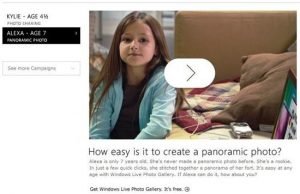
The second I’m a PC ad from the Rookies marketing campaign is out. This time we see Alexa, aged 7, teach us how to make panoramic photos using Windows Live Photo Gallery. Another cute ad by Microsoft, and actually makes…
The girl in this ad is aged 4 and a 1/2 and she explains how to she uses Windows Live Photo Gallery. She also ends it with “I’m a PC and I’m 4 and a half.” A very cute ad,…
Hotmail is getting new features soon. We’ve heard about most of these before, but here’s a list of what to expect via the Windows Live Wire blog: More storage in Hotmail. Start with 5 GB, and watch your storage grow,…
Live Search has added a new feature which shows you the current weather conditions in the search results when you type in the name of any resort. Google and Yahoo already have such a feature, but I like Live’s implementation…
“What’s New” feed on your desktop. You can receive real-time updates on what your friends are doing across multiple social networks right from your desktop. Be the first to know when your friends upload photos, add new friends to their networks, change their status messages and post comments. It’s quick and easy to add the Windows Live What’s New Sidebar Gadget (Beta).