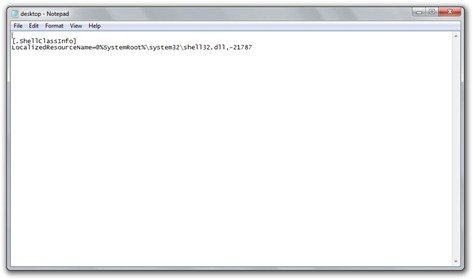
If you’re using Windows 7 build 7057, you must have noticed the bug where a desktop.ini file opens up automatically every time you start up Windows. It can get rather annoying and can’t be turned off from msconfig. Thanks to Chris there’s a rather simple fix for this.
- Navigate to C:ProgramDataMicrosoftWindowsStart MenuProgramsStartup
- Delete desktop.ini
- Navigate to C:UsersUSERNAMEAppDataRoamingMicrosoftWindowsStart MenuProgramsStartup
- Delete desktop.ini if present.
That should stop the file from opening now.
Update: Instead of deleting the desktop.ini files, you can just set their attributes to hidden. Thanks to Andre for the tip in comments.



Hi,
don’t delete the files!!!!!!!!!!!!!!
Set the attribut of the desktop.ini in C:ProgramDataMicrosoftWindowsStart MenuProgramsStartup to hidden!!
André
Thanks, I’ll add that to the post.
Thanks Imran and Andre
Imran for providing this
and Andre for say not to delete the files stupid me did but I restored them…
Again Thanks this is a bug report you should send to microsoft
too bad they removed the send feedback in build 7057
Glad to be of help. Build 7057 is a leaked build and wasn’t supposed to be in our hands. I guess this is the reason it doesn’t have the ‘send feedback’ link and has the minor desktop.ini bug as well.