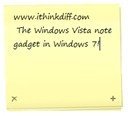
If you all can take out the issues you had with Windows Vista out of your mind for a minute and think hard, you’ll remember it had a very useful sidebar gadget called Notes. It let you quickly scribble down ideas, phone numbers and all sorts of texts and looked just like real sticky notes. It also had a few options for different fonts, font sizes, and stick note color.
Windows 7 comes with a new sticky notes application to replace the notes gadget but it sits in your taskbar when running hence taking up valuable space. For multiple notes, it starts new instances of sticky notes unlike the gadget which gave previous and next options for multiple notes.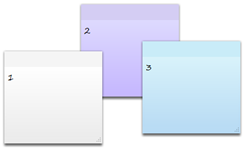
Windows 7 Sticky Notes
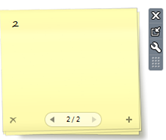
Windows Vista Notes Gadget
I really liked the Notes gadget in Vista, so I extracted the folder and repacked it as a .gadget file so that it can be installed in Windows 7. I find it better to use than the Sticky Notes app in Windows 7.
You can download it below. Just run it and install. It’ll pop up in your desktop gadgets in Windows 7.


thank you very much dude, very handy :)
Thank buddy!
I TRY TO REACTIVATE MY PRECEDENT VERSION OF DESKTOP FROM VISTA TO WINDOWS 7 BUT AFTER DOWNLOAD I CLICK ON INSTALL BUT SURPRISE NO REACTION NO INSTALLATION NO NOTE ON SIDEBAR ( BY THE WAY MY WINDOWS IS FRENCH ????
WHERE IS THE PROBLEM ?
Might be stupid, but how should I “install” ? I couldn’t find any executeable in the ZIP file…
Doesn’t work on Dutch Windows 7 Ultimate x86.
Well, was looking for my old Notes for a long time. Even MS site is a waste for this.
Superb! Consider posting on MS Site.
w0000000000000000000t!!!!
works perfictly!!
for those who can’t install it because of the file type (.zip)
* Go to Computer
* Press Alt on the left side of the keyboard
* A hidden menu bar will appear
* Choose “Tools” -> Folder Options
* A window will appear
* Choose “View”
* Uncheck “Hide extensions for known file types”
* Go to the downloaded file and change “.zip” to “.gadget”
* Start installing
and it’ll work perfictly!!! =D
Please fix the download link “Download Notes Gadget for Windows 7”.I want this gadget
It’s working fine. No fixing needed.
This is exactly what I was searching for, but unfortunately it does not install on Win7 Pro 64 Italian: I get the confirmation dialog for unsigned gadget, then I click Install, and nothing happens. Maybe it should be extracted from the corresponding Vista version, who knows.
By further browsing, I found the blog of an Italian guy that did the same thing. It worked on my computer, so I think I can confirm that different versions of the gadget are needed according to OS language.
Thank you so much for your hardwork . Nothing takes the place of this ” note ”
God bless you
Hey,
i unzipped the file, but no desktop icon for instal.
How should i install it ?
Thanks~
Thank You Imran, the Windows 7 sticky notes just didn't do it for me.
Thank you very much!! I've been trying to find this for a long time!!! GREAT WORK!!
This is magnificent. Thank you for this one!
Thanks a LOT, this is really useful.
Just what I was looking for! Works on my Win 7 32-bit system. What would make it perfect is if you could resize it by dragging on the edges. Can this be done? There is a size setting but it only allows you to chosose between two fixed sizes, small and large.
Thanks for your hard work.
The confusion would be deminised if you'd explained how to install it. Thanks to aDmntk for making it clear :-)
And thank you for providing the gadget.
Thank you so much.. This is brilliant! Just what I was looking out for.. :)
Why is this not available on the Microsoft widgets website?
Thanks So much dude i have been looking for the gadget
but only found the other cheap gadget , which fills up the desktop this is cool
try optimizing SEO for “Sticky notes gadget “
rather than “notes “
Cool thanks again … :)