Thanks to GeoHot, you can now Jailbreak iPhone 3GS and 4 on iOS 4.1 with limera1n. No matter what you think of GeoHot, he is a legend in the jailbreaking scene. He has proved this yet again by releasing limera1n before any other team could release their own jailbreak tools. limera1n is unpatchable and jailbreaks every 3rd and 4th generation iOS device out there with iOS 4.0, 4.1 and beyond. It’s untethered but not a 1 click jailbreak to keep it untethered. Still, it’s very simple to use.

Note: An unlock isn’t available yet for iOS 4.1 so only try this if you don’t need a carrier unlock else you’ll be stuck with an iPod Touch like iPhone until ultrasn0w is updated. Or maybe GeoHot again releases a tool before the other teams. 
Jailbreak iPhone 3GS/4 on iOS 4.1
- Download limera1n
- Plugin your iPhone to your computer and click on make it ra1n
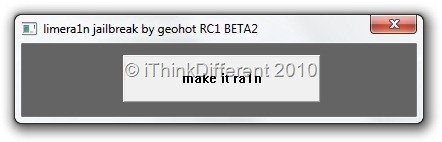
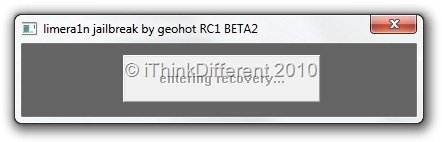
- limera1n will put your iPhone into recovery mode. You’ll have to put it into DFU mode from here by following the simple steps as showing on the button, one by one.
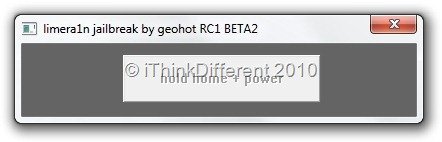
- Hold down the home and power buttons together…
- Until you’re told to release the power button. Still keep holding the home button, though.
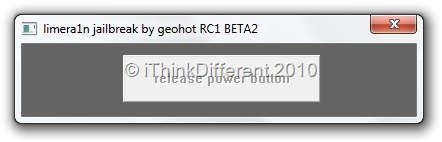
- If done correctly, your iPhone will enter DFU mode.
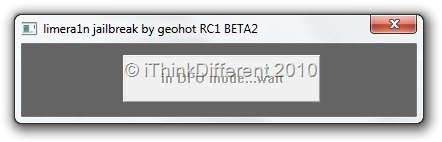
- Now you have to wait while limera1n works its exploit on your iPhone.
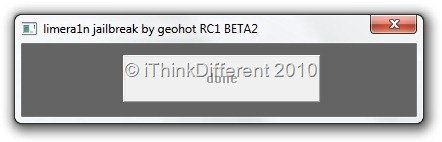
- When it’s done, you’ll see a message like the one below:
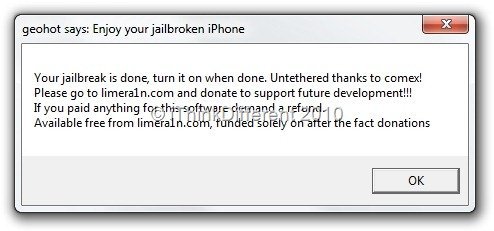
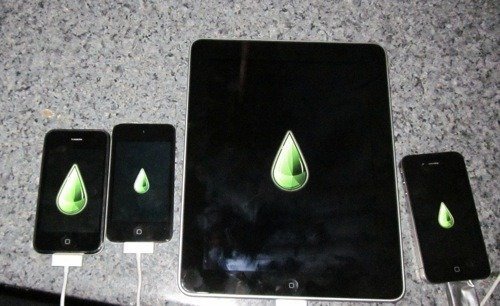
- That’s it ! Your iOS 4.1 device is jailbroken! You can confirm this by finding the limera1n app on your iPhone. Remember to install Cydia from the app.
As usual, if you have questions, let us know in the comments. Follow us on on Twitter or Facebook to stay updated.
Note: It doesn’t play well with new bootrom iPhone 3GS yet, so those users will have to wait for an update to limera1n.

I did it 23minutes after release, and…FANTASTIC!
good werks… now, the unlock and I may have to bow down to favours.
I’ve jailbreaked it already, now how do I download apps?
I jailbroke my iphone last night using the first release of limera1n and installed cydia. but then cydia keeps asking me to upgrade “Base Structure” but requires the removal of “libxml2 Library” and “SQLite 3.x Library”. If i proceed, a warning says that i shouldn’t delete them because it could cause problems that would make the phone not work or something like that. what should i do then?