Isn’t internet censorship annoying sometimes? Sites like Facebook, Twitter and even Gmail blocked on computers in your colleges and your workplaces. Large scale internet censorship can be seen in North Korea, where people have access to computers that are linked to a closely monitored intranet. Other countries also routinely ban to regulate the information that can be accessed by residents.
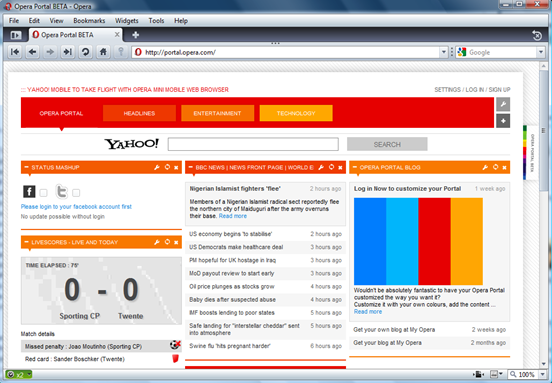
I’ve read about lots of complex ways to bypass this censorship, but the one I’m about to tell you is by far the simplest. Instead of using TOR or VPN, all you need is the Opera 10.00 beta 2 Web Browser. Using its Opera Turbo feature, you can access blocked websites. It does this by routing the traffic through servers that are used to speed up browsing, hence ‘turbo’, through compression.
Follow the easy steps:
1. Download Opera 10.00 here.
2. Click the tiny speedometer at the bottom left to activate Turbo.
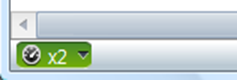
3. Type in the blocked website in the address bar. And Voila!
Simple enough?
Note that this does not unblock all Internet traffic from your computer but only websites accessed from Opera. If you are using any other app like Messenger or another browser, websites would still appear blocked on them. In such cases, it is recommended to use a VPN which can unblock ALL Internet traffic for all apps on your computer.
You might be concerned about security and privacy while using Opera Turbo to browse websites. Opera says that they do not traffic HTTPS/SSL based secure data through their servers so you can feel safe when using websites for email or banking. However, if you are using websites which do not even use HTTPS for information transfer, your data is already insecure. We suggest avoiding such websites to ensure complete security of your private information and passwords.



Whoa. That was epic AND easy.
*pats on the back*
How to I get to install Opera 10 at the 1st place if my office PC need admin rights to install the browser?
You can try Opera 10 on a USB drive http://opera10.opera-usb.com/
Let me know if it helps.
And then once your IT Security dept sees what you’re doing and either get in trouble or written up… great idea to do at work… not.
If that’s an issue, don’t do it. :)
I would think it would be an issue for anyone whose company blocks certain websites.
This does not work in the UAE, sites are still blocked…. Has any one tried this?
how the hell am i supposed to install it if the installation page is blocked by the school
does not work in Bahrain??