The best iPhone 18 Pro game controller is either a plug-in USB-C model that grips both sides of the phone or a Bluetooth model with its own clamp, and the same choice applies to the iPhone 18 Pro Max. A plug-in controller needs no pairing, while a Bluetooth controller carries its own battery and also works away from the phone, such as with a tablet or a Nintendo Switch.
The BACKBONE controllers and the Mocagen MC1 are sold for the iPhone 18 series and the abxylute S8 names the iPhone 18 Pro Max, while the Razer Kishi V3, GameSir G8 Plus and KICKDOT do not, so confirm fit before you buy those three. If you already own a case, check it against the thickness limits below, or pick one from our best iPhone 18 Pro cases, and if you own the iPhone Duo, see our best iPhone Duo game controllers.
Note: We earn a commission on qualifying Amazon purchases made through the links on this page.

Prices last checked Nov 22, 1:07 PM ET
Current Controller Prices
These are the eight game controllers in this guide, with their current Amazon prices and the reason each one made the list.
| Product | Price | Discount | Why we picked it | Buy |
|---|---|---|---|---|
 Razer Kishi V3 Gaming ControllerBlack | $59.99$99.99 | 40% OFF | TMR sticksFull-size handles, charge passthrough and Razer Nexus | Check on Amazon |
 BACKBONE Pro Gaming Controller | $119.99$169.99 | 29% OFF | Three ways to connectHandheld, Bluetooth for up to 40 hours or wired USB-C | Check on Amazon |
 BACKBONE One Mobile Gaming Controller (USB-C, 2nd Gen)Black | $59.99$79.99 | 25% OFF | Plug-in USB-CSold for the iPhone 18 series with case adapters included | Check on Amazon |
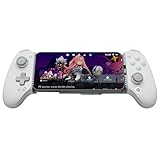 GameSir G8 Plus MFi iPhone Controller | $59.99$79.99 | 25% OFF | MFi certifiedSwappable faceplate and Hall Effect triggers | Check on Amazon |
 Mocagen MC1 Phone ControllerWhite | $32.26$39.99 | 19% OFF | Case friendlyTakes cases up to 12 mm thick | Check on Amazon |
 KICKDOT Wireless Phone Controller | $39.99$47.49 | 16% OFF | Gyro6-axis gyro with up to 15 hours of battery | Check on Amazon |
 BACKBONE One Mobile Gaming Controller Xbox Edition | $99.99 | Current price | Xbox designOne month of Xbox Game Pass Ultimate included | Check on Amazon |
 abxylute S8 Bluetooth Mobile Gaming ControllerBlack | $41.99 | Current price | Switch compatibleBluetooth clamp for phones up to 216 mm | Check on Amazon |
Plug-In Controllers
BACKBONE One Mobile Gaming Controller (USB-C, 2nd Gen)
The BACKBONE One Mobile Gaming Controller plugs straight into the USB-C port and is sold for the iPhone 18, 17, 16 and 15 series, so there is no pairing step. You start games from the BACKBONE app, which gathers App Store games, Xbox Game Pass, GeForce NOW and remote play from a PlayStation, Xbox or PC in one place.
It ships with adapters for cases and a Backbone+ trial, and a PlayStation Edition of the same 2nd Gen controller is also on sale. The in-app emulator is the one feature that needs a paid Backbone+ subscription, along with iOS 18.4 or later.
BACKBONE One Mobile Gaming Controller Xbox Edition
The BACKBONE One Mobile Gaming Controller Xbox Edition copies the Xbox Wireless Controller layout, which suits you if Xbox Game Pass on your iPhone 18 Pro is the main reason to buy. It comes with one month of Xbox Game Pass Ultimate, redeemed through the BACKBONE app.
You pay more than for the black BACKBONE One above in exchange for the Xbox design, an improved D-pad and magnetic case adapters. Because it connects over USB-C, the controller itself never needs charging, and the 3.5mm jack lets you plug in wired headphones.
Razer Kishi V3 Gaming Controller
Razer builds the Razer Kishi V3 around full-size handles, TMR thumbsticks and two back buttons that use the same click as Razer’s gaming mice. The USB-C port passes charging through, so you can keep playing while the phone charges, and the Razer Nexus app launches games and records gameplay.
Razer designed the USB-C connector as an island so the controller fits many phone cases without removing them. Razer sells it for the iPhone 15, 16 and 17 series and the iPhone Air, so confirm fit for your iPhone 18 Pro before you buy.
GameSir G8 Plus MFi iPhone Controller
The GameSir G8 Plus MFi iPhone Controller is Apple MFi certified and has Hall Effect sticks, Hall Effect analog triggers and a movable USB-C connector. The grip stretches from 125 mm to 215 mm, so it also holds an iPad mini.
GameSir sells it for the iPhone series without naming an iPhone 18 model, so confirm fit for your phone. A magnetic faceplate lets you swap the ABXY layout or the thumbsticks, and charging passes through the connector while you play.
Wireless Controllers
BACKBONE Pro Gaming Controller
The BACKBONE Pro Gaming Controller works in three modes: handheld on your phone’s battery, wireless over Bluetooth Low Energy for up to 40 hours, and wired over USB-C. That suits you if you want one controller for your iPhone 18 Pro and a tablet or a PC.
It works with any USB-C iPhone from the 15 series on iOS 17.3 or later and includes magnetic adapters for cases. It costs more than the standard BACKBONE One, and the Backbone+ subscription stays optional.
abxylute S8 Bluetooth Mobile Gaming Controller
The abxylute S8 Bluetooth Mobile Gaming Controller works with the Nintendo Switch 1 and 2 as well as phones, either clamped on or used on its own as a wireless controller. Its clamp stretches to fit devices up to 216 mm, and the body folds for travel.
abxylute names the iPhone 18 Pro Max, so confirm fit if you own the iPhone 18 Pro. Hall Effect sticks and triggers, two customizable back buttons and a screenshot button come with it, and the abxy app handles cloud gaming, emulators and key mapping.
Black · $41.99
Also inBlue · $41.99
Mocagen MC1 Phone Controller
The Mocagen MC1 Phone Controller pairs over Bluetooth and shows up on your iPhone 18 Pro as an Xbox Wireless Controller, and Mocagen sells it for the iPhone 18 and 17 series. It takes cases up to 12 mm thick and has a recess on the left side so the camera bump does not rub.
The Hall Effect sticks are rated at 5 million cycles, and the 600 mAh battery lasts up to 6 hours with the light ring on. The KeyLinker app handles button customization, and the colors are White, Blue, Black and White and Black.
KICKDOT Wireless Phone Controller
The KICKDOT Wireless Phone Controller adds a 6-axis gyro and two programmable back buttons to its Bluetooth connection. The telescopic body fits phones from 4.13 to 7.87 inches, and the battery lasts up to 15 hours, against up to 6 hours on the Mocagen MC1.
KICKDOT sells it for iPhone in general without naming an iPhone 18 model, so confirm fit for your phone. It does not work with PlayStation Remote Play.
How to Choose a Controller
If you want the simplest setup, the BACKBONE One and the Razer Kishi V3 plug into the USB-C port with no pairing. If you want one controller for several devices, the BACKBONE Pro and the abxylute S8 work with more than a phone, since the Pro also connects to tablets and computers and the S8 also works with the Nintendo Switch 1 and 2.
The BACKBONE Pro in handheld mode runs on your phone’s battery, so a MagSafe power bank for the iPhone 18 Pro Max helps on long sessions. The Mocagen MC1 and the KICKDOT carry their own batteries, at up to 6 hours and up to 15 hours.
The Controller I Would Buy First
My first buy would be the BACKBONE One Mobile Gaming Controller (USB-C, 2nd Gen), because it is sold for the iPhone 18 series, ships with case adapters and needs no pairing.
If I wanted one controller for my phone and a Nintendo Switch, I would take the abxylute S8 Bluetooth Mobile Gaming Controller instead.
FAQ
Which of these controllers name the iPhone 18 series?
The BACKBONE One, the BACKBONE One Xbox Edition, the BACKBONE Pro and the Mocagen MC1 name the iPhone 18 series, and the abxylute S8 names the iPhone 18 Pro Max. The Razer Kishi V3, GameSir G8 Plus and KICKDOT do not name an iPhone 18 model, so confirm fit before you buy them.
Do these controllers fit the iPhone 18 Pro Max?
The abxylute S8 stretches to 216 mm, the GameSir G8 Plus to 215 mm and the KICKDOT to 7.87 inches. Of those three, only the abxylute S8 names the iPhone 18 Pro Max, so confirm fit for the GameSir G8 Plus and the KICKDOT.
Do these controllers work with a case?
The BACKBONE One and BACKBONE Pro ship with case adapters, the Razer Kishi V3 uses an island-style USB-C connector for cases, and the Mocagen MC1 takes cases up to 12 mm thick.
Can I stream PS5 or Xbox games to my iPhone 18 Pro with them?
The BACKBONE controllers launch remote play from a PlayStation, Xbox or PC through the BACKBONE app, and the Razer Kishi V3 does PC remote play through Razer Nexus. For the PS5 side, see our list of apps that stream your PS5 to iPhone, and note that the KICKDOT and the Mocagen MC1 do not work with PlayStation Remote Play.
Newsletter
Never miss an Apple story
One email a day, the news that matters. No spam, unsubscribe anytime.
You're subscribed
We sent a confirmation to your inbox — check spam if you don't see it.

Product prices and availability are accurate as of the date and time indicated and are subject to change.
As an Amazon Associate I earn from qualifying purchases.


