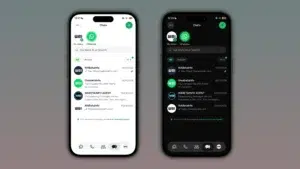
Voice Notes in Documents turns a recording made on your iPhone or iPad into a summary, a list of follow-ups and a full transcript. The feature is part of Documents Plus, and Readdle says subscribers get no limit on recording minutes.
Documents is Readdle’s file manager app, free to download with in-app purchases, and Voice Notes came with version 8.23. Readdle product lead Artem Azarov positions Voice Notes for meetings, lectures and ideas that slip away before you can type them.

Voice Notes in Documents has three views
Voice Notes is available in Documents for iPhone and iPad. To start, tap the plus button, choose Voice Notes and allow microphone access. You can also start a recording from the Action Button, but the iPhone Duo has no Action Button, so Duo owners start from the plus button.
When you stop recording, you get a summary of the main points, a list of follow-ups and the full transcript. The follow-ups sort into action items, questions to revisit and ideas. You can switch between the three views, play the recording back, and copy or share what you need.
Conversations that mix languages work too. The transcript keeps each language as it was spoken, while the summary and follow-ups use the language spoken most, so a meeting split between two languages gets one summary in whichever language dominates.
Each recording is one file
Documents saves a voice note as a single file that holds the recording, the summary, the follow-ups and the transcript. You can save the transcript on its own as a .txt file when you only need the text. Voice notes go into folders, can be shared and sync with your cloud storage like any other file in Documents.
Because everything sits in one file, moving or sharing the note moves the recording, summary, follow-ups and transcript together. Readdle suggests meetings, lectures, brainstorming, spoken journaling and trip planning as uses. The company also asks you to make sure everyone being recorded agrees to it first.
Documents Plus covers Voice Notes
Voice Notes is included in Documents Plus at no extra cost, along with more than 30 other tools. Plus is an in-app purchase inside Documents, and subscribers get no recording-minute limits.
Plus also includes unlimited conversions and compressions, files up to 1GB, File Transfer and batch conversions, with the unlimited items subject to fair use. The free Starter plan limits you to three file management actions a day and three AI actions per account, and new users can try Documents Plus free for 7 days.