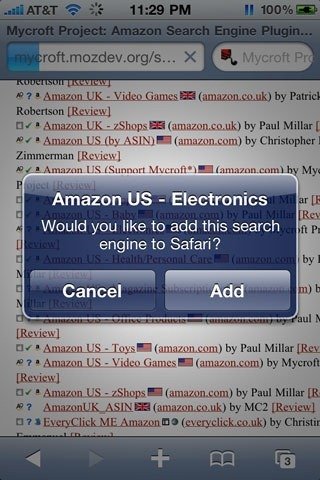
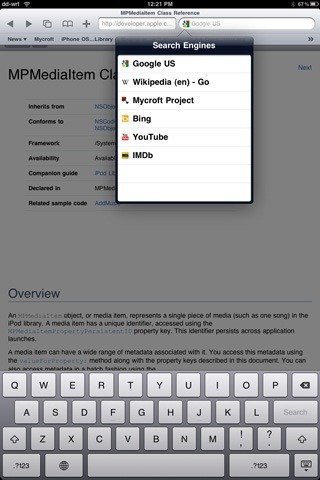
A new tweak on Cydia called Cicero lets you customize your search engines in Safari. I had been waiting a long time for a tweak like this to add Bing to Safari before iOS 4. Cicero lets you add any search engine that complies with OpenSearch standards ( almost all major search engines and site specific search engines do this. for e.g. YouTube, Wikipedia etc ). This allows you to do site specific searches without loading up the website first. Blessing in disguise.
![IMG_0054[3]](https://cdn.ithinkdiff.com/wp-content/uploads/2010/08/IMG_00543.jpg "IMG_0054[3]")
Features of Cicero:
- Switch search engines by tapping on the current engine’s icon.
- Grab search engines from OpenSearch-compatible websites.
- View search suggestions as you type (available with some engines).
- Incorporate even more search engines from MyCroft’s search engine index.
- Delete a search engine you no longer want with a horizontal swipe.
Adding and deleting search engines is very simple as well as deleting them.
![IMG_0052[3]](https://cdn.ithinkdiff.com/wp-content/uploads/2010/08/IMG_00523.jpg "IMG_0052[3]")
Cicero works with iPhone, iPod Touch and even iPad.
As awesome as this tweak is, it isn’t free. Cicero is available on Cydia, in BigBoss repo for $2.49. If you’re an information/search junkie, this is a must buy.
To install Cicero, you need a jailbroken iPhone, iPod Touch and iPad. Use JailbreakMe to do that. Read more about it here.


