It didn’t take long for the iPhone Dev Team to come up with a jailbreak solution for iPhone OS 3.1.3 which was recently released for iPhone 2G, 3G, 3GS, iPod Touch 2G and 3G. redsn0w 0.9.4 jailbreaks and unlocks iPhone 2G, jailbreaks iPhone 3G, iPod Touch 1G and iPod Touch 2G (non-MC Models). If you have other models, we suggest that you hold back from upgrading to firmware 3.1.3.
Here’s a step by step guide to jailbreaking iPhone 2G and 3G (don’t do it if y
Jailbreak iPhone OS 3.13
- Download iTunes 9.0.3. This is the latest version of iTunes available so upgrade to it before starting to be sure you don’t run into any issues.
- Download redsn0w 0.9.4 ( download link at the end of the post )
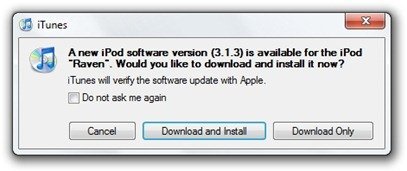
- Download and install iPhone OS 3.1.3 on your iPhone or iPod Touch using iTunes.
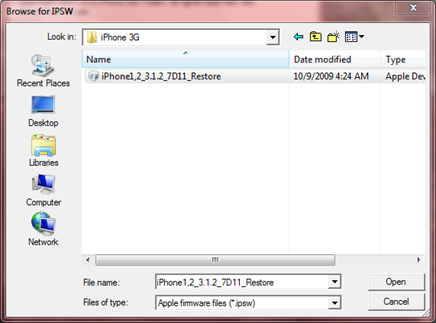
- Navigate to the following location on your computer C:\Users\{your windows user name}\AppData\Roaming\Apple Computer\iTunes\iPod Software Updates and copy the iPhone OS 3.1.2 IPSW file (iPhone OS firmware) file to your desktop for easy access.

- Run redsn0w 0.9.4 and click on browse. Point it to the iPhone OS 3.1.2 firmware you just copied to your desktop.
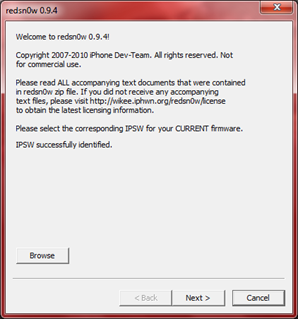
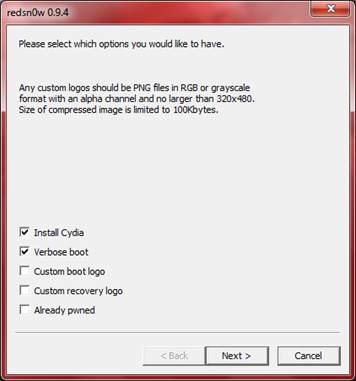
- After redns0w has validated the firmware, it will show some options such as Install Cydia, Verbose boot etc. Make sure to check Install Cydia and Already pwned.
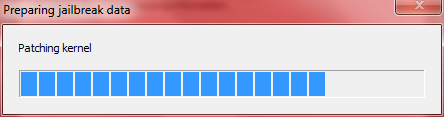
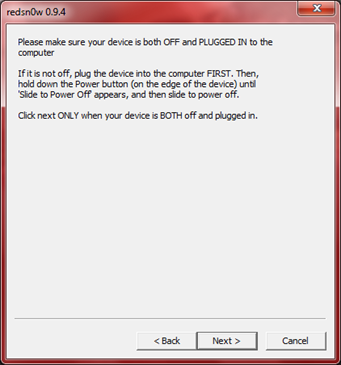
- Turn off your iPhone or iPod Touch and connect it to your PC. Hit next in redsn0w. It’ll start patching the kernel of your iPhone firmware file.
- Start your iPhone or iPod Touch in recovery mode by pressing both the power and home button until the help message on redsn0w disappears. If you had shut down your device as told in step 7, this process will be faster.
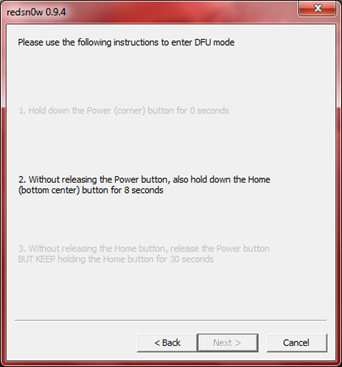
- Click next again. Now you’ll have to hold the power and while holding it, press the home button but don’t release it. After a few seconds, let go of the power button but keep the home button pressed until the firmware installation starts.
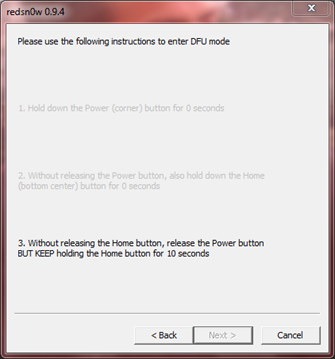
- Now it’ll take some time for the process to complete.


As noted above, don’t try this on your iPhone 3G if you don’t want to lose the unlock. So stay away from OS 3.1.3 till then!
[Thanks to iHackintosh for the screenshots!]
Download Links:
Download iTunes 9.0.3
Download redsn0w 0.9.4
Download iOS 3.1.2 for iPhone 2G
Download OS 3.1.2 for iPhone 3G


After entering DFU mode, it’s now stuck in : Please wait while your device is being processed.
Waiting for reboot.
It stays there and does nothing……
yea same here some1 help why wont it finish? =[
I’m having the same problem… Did you ever get it to work?
I’m trying to jailbreak my ipod and I can’t find the IPod OS 3.1.3 software update file on my computer anywhere! Help?
I have a windows computer.
The “AppData” folder doesn’t exist. :(
Installed 0.9.4 sucesfully at the second attempt, thanks! One comment would be that in step 6 you state “6.After redns0w has validated the firmware, it will show some options such as Install Cydia, Verbose boot etc. Make sure to check Install Cydia and Already pwned.”, but the image shows Verbose selected? it wasnt until I had selected verbose that the install went through in full.
On a seperate note altough it does seem to be installed fine, when starting up the device (3G) I get the apple logo, followed then by the boot record?
Has anyone else experienced this? Is it the norm, can I fix it?
thank you verymuch…………
I have 3.1.3 on my iPhone 3G. Anyone have a working link to download redsn0w 0.9.4 that will work with this firmware? All the links online are broken.
Will this work on a 3G iPod Touch 8GB?
IS there a way to jailbreak my ipod touch (3.1.3) using a MAC yet?
Try the Dev-Team’s Blog. They released a new PwnageTool for 3.1.3, MAC Exclusive program.
will we get back our jailbroken apps
will we hav our jailbroken apps if we did this to a already jailbroken ipod touch 2g
man is this work with itouch 3.1.3 mc model
plzz hel
i used QuickPwn for 2.2.1 for my iPhone 2G, and planning to use redsnow in order to upgrade to 3.1.2
should i select “already pwned”?
THANK YOU THANK YOU THANK YOU!!!!!!!!!!!!!!!!!!!!!
i did everything with “already pwned” and the screen after the redsn0w was done. when my ipod turned on i got nothing.
so i tried without “already pwned” and after redsn0w was done, it said “downloading jailbraking data” or something like that on my ipod for about 10 minutes, after that finished, my ipod turned on and nothing happened to my ipod. no cydia or any change on it. i don’t know what to do. help?
how do you know if it’s done? it just says the rest of the process will take place on your device..done! and there’s a finish button. but last time i clicked it, it disappeared and my ipod was still the same. also there’s a bar there that looks like stuff’s supposed to be loading but nothing’s happening….
I can’t find the firmware 3.1.3 file because I updated it on my friend’s iTunes because I didn’t want to pay for it. Is there a way to get the firmware file?
I can’t find the firmware 3.1.3 file because I updated it on my friend’s iTunes because I didn’t want to pay for it. Is there a way to get the firmware file?
my ipod stuck in black screen,nothing happened whats wrong? i follow the instructions step by step but nothing happen my ipod is 1st gen. help please
im having the 403 error…how do i fix it? i just upgraded to the ipod touch 3.1.3.
im having the 403 error…how do i fix it? i just upgraded to the ipod touch 3.1.3.
will it work on ipod touch 3g 3.1.3, is so what if im using windows xp