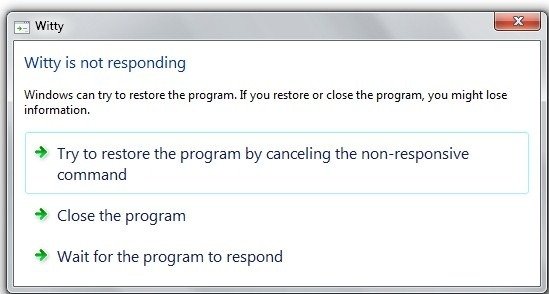
If you find any application hanging up in Windows 7, you’ll get options like these. Windows 7 will really try to restore the program to a working condition without losing your data using the ‘Try to restore the program by canceling the non-responsive command’. Vista used to show an option to restart the hung application in place of this option. And before you think that it’s just a gimmick that does not work, it really does. It can be the difference between losing your important un saved power point slides you were editing, to ending up way back to where you started from. I haven’t come much across non-responding applications so far in Windows 7, apart from the very ‘loveable’ Internet Explorer, which doesn’t even show this option before crashing one of its tabs. Once IE hangs for me, the only way left to exit it is through Task Manager. I hope that they implement this in IE as well, as it crashes a lot on me, and having it restore like this would be awesome.


Wow, at it took THIS long for Windows to catch up to the other players in this area? That’s innovation for ya.
Why wouldn’t IE simply dIE !
It looks like Windows 7 beta crashes randomly
Dylan: No it doesn’t. I’ve been using it for weeks now and tried this on many PCs, so it must be a user generated error.
I do it all the time with Outlook 2007 which goes into a solid disk read and hangs on a regular basis. Then again I do have a monster archive…
Rather than waiting for MS to fix IE, you should just switch to firefox or chrome.