The Browser Company will end Arc on macOS and Windows on December 22, so here are seven Arc browser alternatives to try before then. Dia, Crest, Search and Yab import your Arc Spaces, which makes them the easiest to move to.
Dia is the replacement from the Arc team, and Crest, Search and Yab are Mac browsers. Zen Browser and Helium are free and open source, and Aside is built around an AI agent.

Export Your Arc Data Before December 22
Arc keeps working until December 22, and new Arc accounts have been closed since October 22. On that day all Arc accounts are deactivated, and personal data tied to them is deleted within 30 days.
On Mac, open Arc, go to Settings, then Advanced, and choose Export Data. On Windows, open Settings, go to Advanced and choose Export Data under Export Spaces and tabs. Dia does not need an export, because you pick Arc as the browser to import from when you set it up.
If you no longer have Arc installed, download it again and export before the deadline. The Arc Search mobile app is separate, and it loses sign-in, sync and AI features on November 23, while the Android version leaves Google Play on December 22.
Dia Is the Arc Browser Alternative From the Arc Team

Dia is the browser the Arc team built to replace Arc, and it is free on macOS and Windows. The Browser Company says Dia now surpasses Arc in stability, speed and security, and that its AI is optional.
Switching takes one step, because Dia imports your passwords, history, tabs, bookmarks and extensions when you pick Arc during setup. Spaces become Profiles and you still swipe between them, and Folders become Tab Groups. Pinned Tabs and Favorites keep their custom names.
Dia keeps the vertical tab layout, which you choose with Sidebar tabs, and it keeps Split View. Its Morning Brief shows your calendar, inbox and key links, and you choose whether Dia remembers your preferences. Sync is end-to-end encrypted.
Zen Browser Is a Free Firefox-Based Alternative

Zen Browser is a free, open-source browser built on Firefox. It runs on macOS, Windows and Linux, and it is still in beta.
Zen has several of the pieces Arc users rely on. Workspaces keep your projects in separate containers, and Split View opens tabs side by side. Glance previews a website on top of your current tab, which is the same idea as Arc’s Peek.
Compact Mode hides the tab bar until you need it, and Picture-in-Picture plays video in a separate window. Zen Mods change how the browser looks, and a Twilight channel offers pre-release builds. The project is funded by donations and sponsors.
Crest Is a Free Arc Alternative for Mac, iPad and iPhone
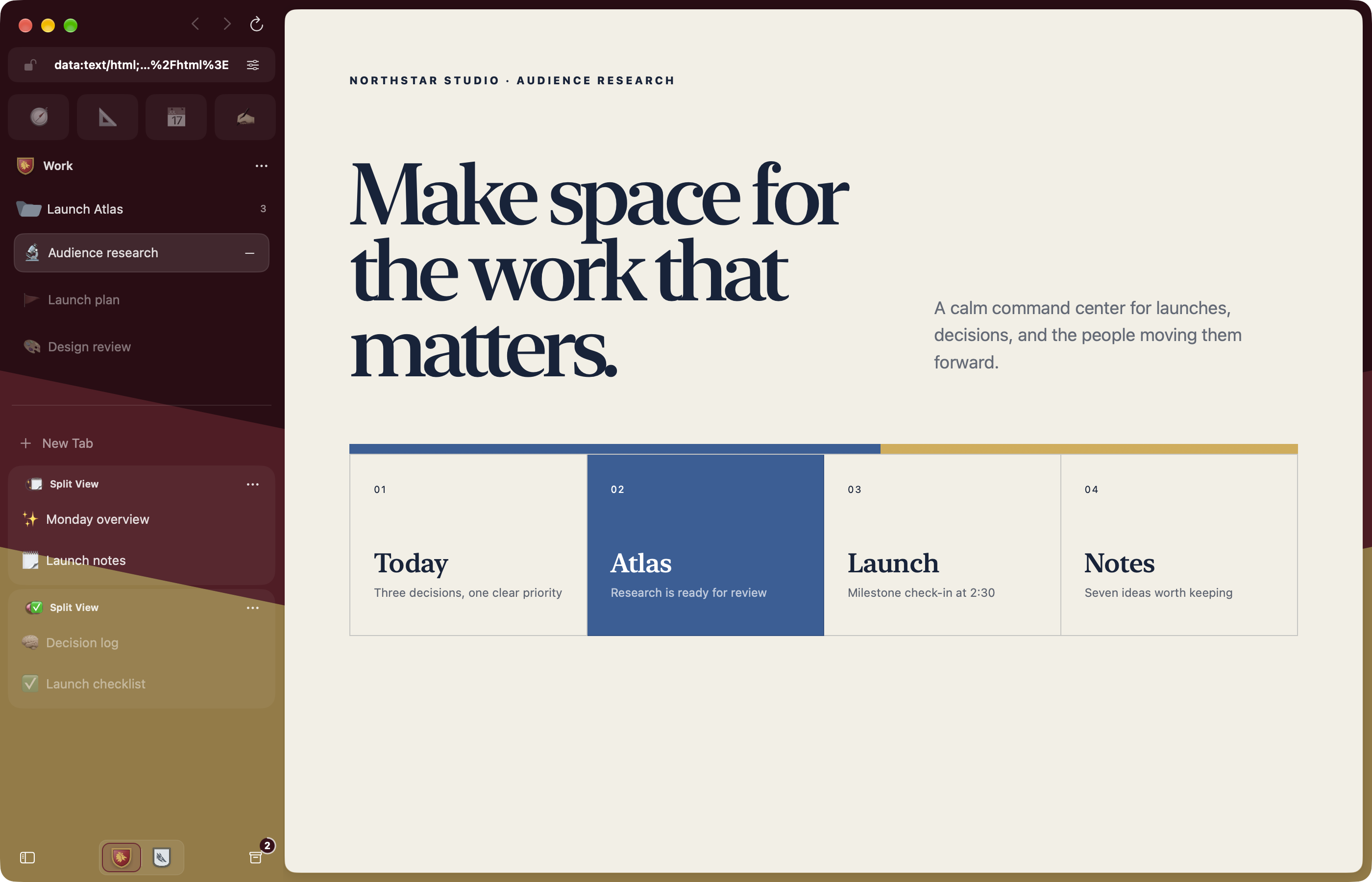
Crest was made by an Arc user, and it is free and open source. It has Spaces, a sidebar, Peek and Split View, and it runs on Mac, iPad and iPhone.
The Mac version needs an Apple silicon Mac. Crest imports Arc Spaces, tabs, folders, colors, icons and passwords, and you can review each Space before anything moves. It can also import from Zen Browser, Chrome, Safari and Firefox.
Spaces, tabs and folders sync with the iPad and iPhone apps through iCloud. Each Space has its own extensions, which come from the Chrome Web Store. You can also make a Space private and lock it with Face ID or Touch ID.
Crest can archive tabs after a set time, from 12 hours to 30 days. On Mac it uses Chromium, with WebKit available for individual sites.
Search Is a Free WebKit Browser That Imports Arc Spaces

Search is a free WebKit browser for Mac from Office Commun, a design studio in Paris. It needs macOS 14 or later and runs on Apple silicon and Intel Macs. It needs no account, and the developer says it is free for now.
Search imports bookmarks, history, passwords and extensions from Arc, including your Spaces. Choose File, then Bring Things Over, to start the import. Your passwords go into your Mac’s keychain, and macOS asks once for Arc’s key.
Spaces keep separate tab sets in one window, and you switch between them by swiping sideways with two fingers over the tabs. Tabs can sit across the top or down the side. Pinned tabs shrink to a letter or an icon, they stay after a force quit, and Command-W puts a pinned tab to sleep instead of closing it.
The developer says Search opens its first window in 320 milliseconds and uses 51 MB of memory before the first page, compared with 663 MB for Chrome. Search does not sync, so your tabs, history and passwords stay on the Mac where you made them. It has no AI features.
Yab Keeps Peek and Split View and Adds AI

Yab is a free Arc alternative for Mac that runs on WebKit, so there is no second Chromium to load or update. It needs macOS 15.4 or later, and an iPhone version is in beta through TestFlight.
Yab imports from Arc, Dia, Chrome, Safari, Firefox and Brave, and every Arc space, pin and folder stays in its original place with its own color. Chrome Web Store extensions can be added. Ad and tracker blocking uses uBlock Origin’s filter lists, with an off switch for each site.
Hold Shift and click a link to open it in a Peek over your page. Hold Option and click to open it beside your page in Split View. Pressing Command-T suggests your upcoming meetings, mail waiting for a reply and the tab you last used.
Yab’s AI runs on your own Claude or ChatGPT plan, so there is no Yab account and no extra AI bill. It can click, type and read in your tabs while you are signed in, and it asks before it sends something or makes a payment. Claude Code, Codex and Cursor can also control Yab through MCP.
Helium Blocks Ads and Trackers by Default

Helium blocks ads, trackers and cookie banners by default. It is a free, open-source browser built on Chromium, and it runs Chromium extensions and has vertical tabs, Split View and tab groups.
Helium makes no web requests on first launch and has no analytics. It also blocks third-party cookies and adds protection against fingerprinting, and it says plainly that fingerprinting cannot be fully prevented.
Helium has a choice of layouts, including a vertical one and a Frameless mode, and tab hibernation saves memory. Built-in bangs send a search straight to a site, such as w for Wikipedia, with more than 13,000 available. It can also move extensions over from an older Chromium browser.
There is no built-in password manager or Widevine DRM, so some streaming services may not play. Data sync is not available yet, and Helium is a desktop browser in beta for macOS, Windows and Linux.
Aside Is an AI Browser Agent for Mac and Windows

Aside is an AI browser for macOS and Windows, and it is also a ChatGPT Atlas alternative. Its agent works inside the websites you are already signed in to, so it does not need integrations.
The agent can handle messages, payments and internal tools, and it can work with files on your computer. Aside also turns your browsing history into memory so you do not repeat yourself.
Credentials are autofilled and not exposed to the agent, and payments, posts and messages wait for your approval. Its password manager, Aside Vault, logs every credential use and limits access to what each task needs. Tasks, memory and data stay on your device.
The free plan has 500 credits a month and up to three routines. Pro costs $20 a month and adds more usage, deep research and unlimited routines. You can use your own ChatGPT or Claude subscription, or your own API key.


