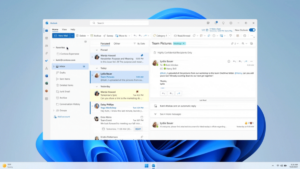
Microsoft plans to replace the Mail and Calendar apps in Windows 11 with the new Outlook app starting in September 2024. New Outlook app to offer rich features and a better user experience in Windows 11 According to the announcement,…
Users may notice that sometimes the audio plays at different levels for videos or music on their devices in Windows 11. Users may also have experienced commercials playing louder than the stream they are watching. If you are dealing with…
Windows 11 users can enable the ‘Do Not Disturb’ feature to silence notifications from apps and contacts, and we will show you how. Do Not Disturb (DND) mode in Windows 11 is a feature that silences all notifications and alerts…
In Windows 11 build 23481, users can enable an early preview of the new Windows Copilot using a third-party tool called “ViveTool” created by Rafael Rivera and Lucas on GitHub. Windows Copilot is a new AI-powered feature in Windows 11 that appears…
In Windows 11, users can easily create desktop shortcuts for files, folders, and apps in multiple ways, and we will show you how. Desktop shortcuts are a convenient way to access apps, files, and folders. Usually, you would create shortcuts…
Windows 11 users can easily enable the “Nearby Sharing” feature in multiple ways, and we will show you how. Nearby Share is a capability that allows users to share files, links, and other content with other devices that are nearby….
Windows 11 build 23481 arrives in the Dev Channel. This build includes a handful of new features including a new “Focus Session” widget, improvements to the Windows Ink experience, File Explorer changes, and more. In Windows 11 build 23481, Microsoft…
The sidebar in Microsoft Edge in Windows 11 is a new feature that allows you to access various tools and information without having to leave the browser. The sidebar includes a search bar, a weather forecast, a news feed, and…
Windows 11 users can easily disable the Microsoft Defender Firewall in multiple ways, and we will show you how. The Windows 11 firewall is a security feature that helps protect your computer from unauthorized access. It does this by blocking…
If you don’t want Windows Update detecting and installing drivers automatically, Windows 11 offers a couple of ways to stop driver updates through the Settings app and Group Policy. Here are reasons for why you might want to stop automatic…