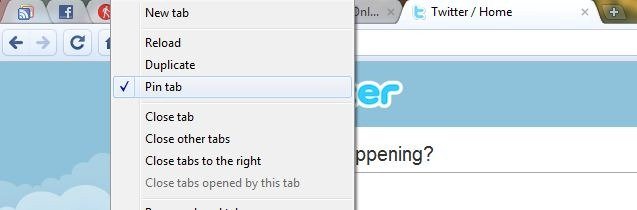
 Google Chrome recently hit the version 5 milestone for the dev branch. It should be world record for a browser, because even after more than a decade, Internet Explorer is at version 8, Firefox just reached 3.6 and Opera is at 10.5. While we still don’t have built in support for RSS feeds in Google Chrome ( they probably want us to use Google Reader instead ), Google has been providing other cool features like themes, extension support and faster speeds all the time. One of the coolest features of Chrome is the Pin Tabs feature.
The close option disappears from these tabs so if you have certain websites like Facebook, Gmail or Twitter that are open all the time, pinning them is very useful! The pinned tabs disappear if you close Chrome though. A fix for this is to go to Google Chrome options and chose ‘Reopen the pages that were open last’.
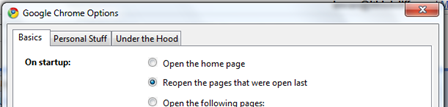 Chrome will now remember your pinned tabs and load them whenever you fire up the browser. This is another feature that makes Chrome a better choice than it’s competitors!



1 comment