We covered Frash’s arrival to iPhone earlier today. It involved a lengthy process of SSH-ing into your iPhone using a PC or Mac and then copying the frash.deb file into a folder, after creating a couple of folders. The whole process has been made as easy as adding a Cydia repo and installing a package.
Here are the full steps:
- Make sure your iPhone is jailbroken. Read more here.
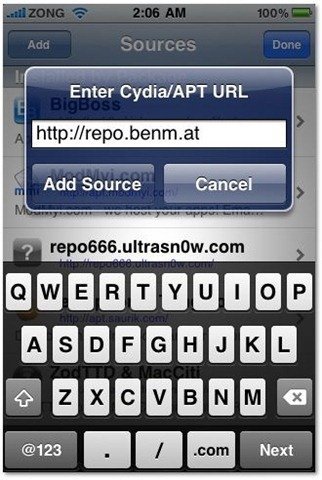
- Open Cydia. Go to the Manage tab > Sources.
- Tap Edit and then add.
- Add this source http://repo.benm.at
- Go to search and type in Frash. Install it.
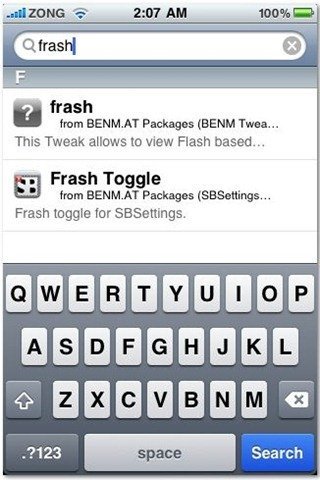
That’s it. Now you’ll be able to view some flash content such as ads and games in Safari. If you use SBSettings, you can also install the Frash Toggle which will let you enable or disable Frash easily.
Thanks for the tip Mike!
Update: Installing Frash using this method also works fine on the iPad. Thanks to Matthew for confirmation on our Facebook Fan Page.
Update 2: As it turns out, Frash only runs on ARMv7 processors which iPhone 3G doesn’t have. Sorry guys, you’re out of luck.





Frash doesn’t work with jailbreacked iPad (IOS 4.2.1). Jailbreacked with GREENPOIS0N RC5.
DOESNT WORK with my iphone4 4.2.1 jail breaked by green
IS THERE ANY SOLUTION???!!!!!!
Nope, not yet.
i try to download it in my 3GS but it constantly says host is unreachable what should i do??
The repo might be down. Try again later.
I am having issue with frash. When I click flash, it said unexpected / abort and no video shown. I am using iPhone 3GS with 4.3.3 firmware.
I tried this on my iPad… it didn’t work.i am not sure if these instructions were for iPad?!?! or were they?
oh and its also giving me an error message “_abort() food.c:43”
any solutions???
Me too. Abort food error on my iPad 2
شكرا