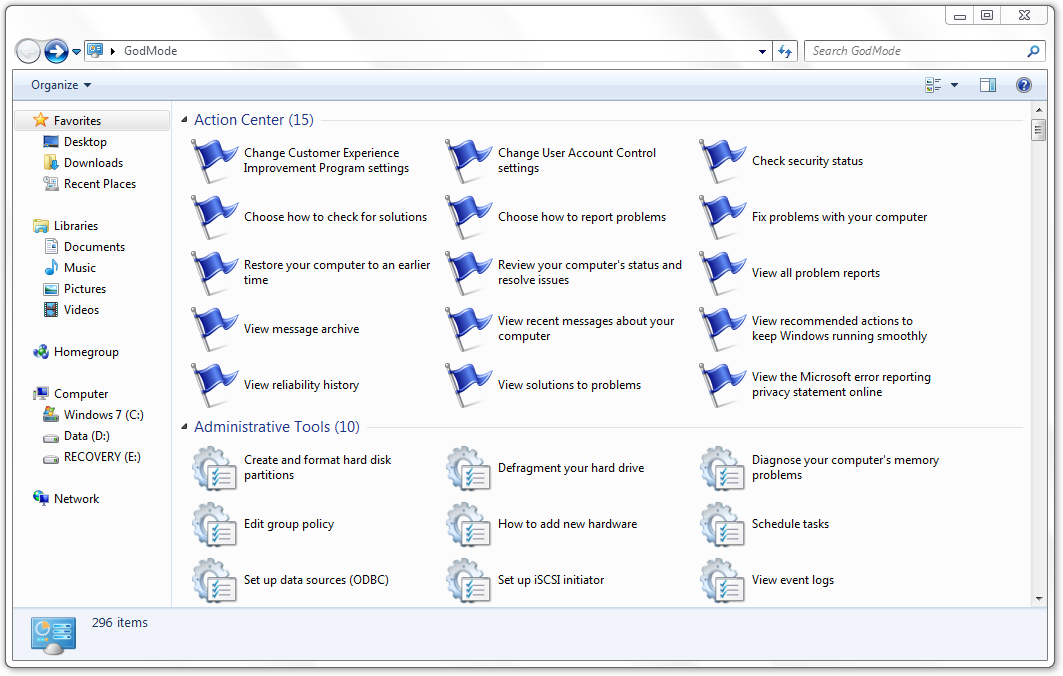
 GodMode is the name given to cheats in video games that provide you with all weapons and access to all areas. As it turns out, Windows 7 has a GodMode cheat as well as uncovered by Caschy. It is basically a control panel of sorts which provides you access to all the features in one explorer window. In the Windows 7 control panel, features are grouped together either in categories or control panel item names. Nothing is grouped under anything in GodMode.
Here’s how to enable it:
- Create a new folder.
- Rename it to : GodMode.{ED7BA470-8E54-465E-825C-99712043E01C}
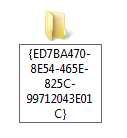
- That’s it. The icon should change to the one shown below:
This is what the GodMode Window will look like:
I still prefer the control panel over GodMode since everything is easier to find under the categories. I’ve tired this in Windows 7 Ultimate x64 and it works fine. If you try it in Windows Vista, let us know if it works in the comments.
Update: Don’t try this on Vista x64 unless you want it to crash. Let us know if it works on Vista 32 bit though.
Update 2: Turns out this isn’t a new trick. It was discovered in Vista called Master Control Panel by Ramesh Kumar. If you’re facing crashes, here’s a fix.


Works also in Vista 32 Bit.
Used Vista Ultimate.
Confirm, works in Vista 32-bit.
Confirm, works in Vista 32-bit.
Does anyone know if GodMode works in Vista 64?
No. Vista 64 will start crashing if you install GodMode in it.
GOD MODE IS JUST A NAME FOR IT…..
EVEN IF U JUST WRITE
AnythingUlike.{ED7BA470-8E54-465E-825C-99712043E01C}
it will work
Wow, am I screwed… looking for help. Kim Komando’s Saturday newsletter mentioned this and included something like “some Vista 64 bit users reported crashes”. That didn’t sound too serious, so I tried it on my Vista 64 system, figuring I could delete it or do a system restore or something. Not so… I just have this endless loop of warnings saying ‘Windows Explorer has failed and will now close” and it tries to do an error report, but can’t. I open Task Manager and try to stop the application, but that doesn’t work.
About the only thing I can do is log off that user and go to the administrator account. If I had everything available on the admin account, I’d just delete the other user account and start a new one, as the admin account seems to be OK.
Any suggestions? I’d really like to re-access that user account as it is tweaked nearly perfectly.
Hi, I did it too and I recover my system doing the next:
When you entre to windows and start to flash, pres ctrl+alt+del, a screen with opctions will appear, select “start task manager”. A program will launch and select:
MEnu FILE-
Option New task
CLick on the button examine and look for the folder you have created, you have to deal with the flashing while find and select the folder (you have to look for it in the location you created it), once you select it just click delete and that’s all.
what’s that for !!! Godmode.
any advantages or importance
Hey! It wordked in Windows 7 x64, but I still not feel like God. What's Wrong?
Theres no need for the godmode text, it does not add anything plain {ED7BA470-8E54-465E-825C-99712043E01C} would do
I’m using windows 7 starter editon 64 bit, when i try this my notebook crash. Please reply this