Microsoft Store has just released Windows 7 USB/DVD Download tool. This tool allows users to create a bootable USB/DVD of their Windows 7 ISO file.
Windows 7 is Microsoft’s latest operating system that fixes almost all of Windows Vista’s short comings. It comes with a similar interface with lots of user experience fixes and improvements. Under the hood, there are tons of performance optimizations, improved driver support and fixes that would make Vista users instantly jump to Windows 7.
System Requirements for Windows 7 USB/DVD Download Tool
- Windows XP SP2, Windows Vista, or Windows 7 (32-bit or 64-bit)
- Pentium 233-megahertz (MHz) processor or faster (300 MHz is recommended)
- 50MB of free space on your hard drive
- DVD-R drive or 4GB removable USB flash drive
- Microsoft .NET Framework version 2.0 or higher
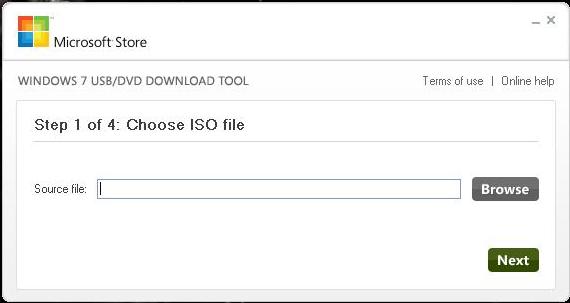
The download tool comes in handy when you have to do a clean install on your computer or install it on another computer. To use it, you need to do the following:
- Download Windows 7 USB/DVD Download Tool
- Download the Windows 7 ISO file
- Open the tool (as administrator) and point it to the location of your Windows 7 ISO file
- Make sure that your USB flash drive is formatted and does not have any important data on it. If you are using a DVD drive, it should be empty and writeable
- Follow the steps to flash the iOS file to your USB drive or burn it to your DVD drive
The process takes some time and depends on the speed of your USB flash drive or DVD drive. Once done, the result will be a bootable drive that you can use to install Windows 7 from.
Download Windows 7 USB/DVD Download Tool




This tool would be very useful for frequent backups. But, the point is are those backups worthwhile?
What would be the pirated copies ratio for 7? That worries me a bit.
This tool would be very useful for frequent backups. But, the point is are those backups worthwhile?
What would be the pirated copies ratio for 7? That worries me a bit.
Hey, Great Tool!
Hey, Great Tool!