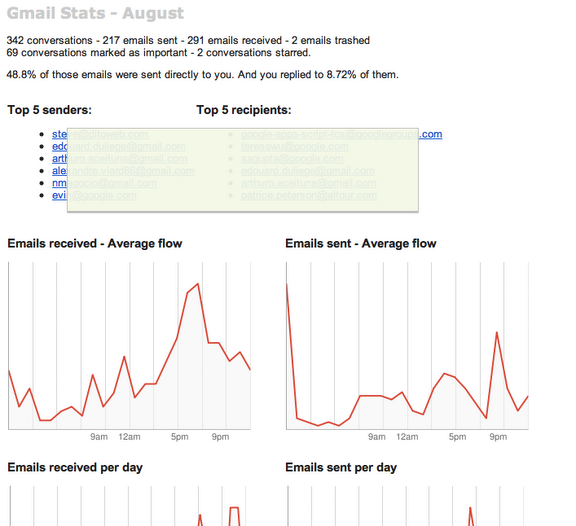
Being a power user of Gmail, it always used to interest me as to how I’m using Gmail – what are the statistics apart from the space usage that’s always shown in Gmail. Recently, I stumbled upon this cool script in Google Docs scripts gallery that shows you details on how many conversations you’ve had in a month, how many emails have been sent and received, trashed, marked important and starred. You can also find out how the top senders and recipients are for that email inbox and much more. Follow the instructions below to use it.
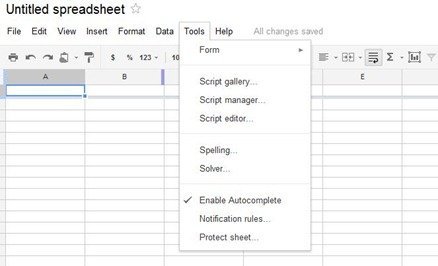
Open up Spreadsheets in Google Docs and go to Tools > Script Gallery
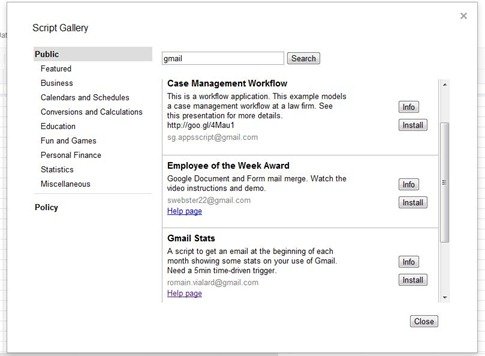
Type in Gmail in the search box to show Gmail Stats and click on Install
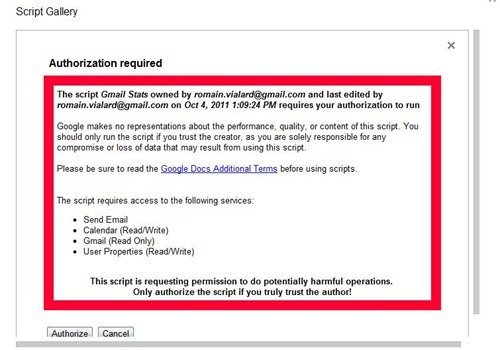
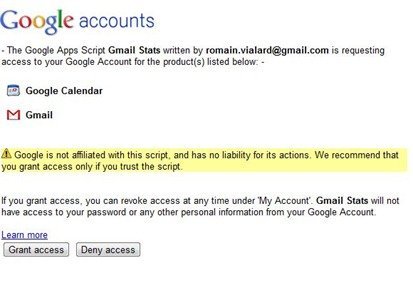
The script will now tell you that it requires authorization to some services in your Google account. Since you’ve reached this far, you would obviously want to provide it access so that it can do its magic. Either way, it’s your choice here, we take no responsibility.
Now that you’ve given access, the script can now be executed by going to Tools > Script Editor and clicking on the play button for the Gmail Stats script.
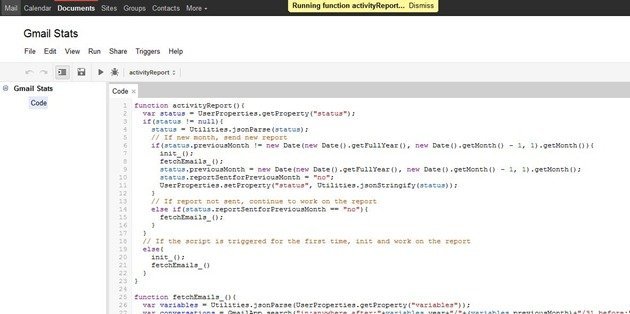
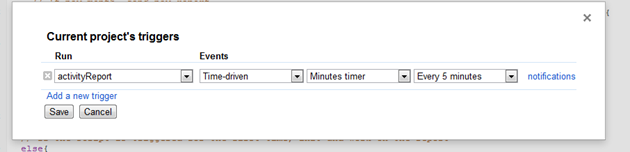
Depending on the number of emails you have in your inbox, the script will take some time to execute. Now go to Triggers > Current Script’s Triggers and add a trigger for 5 minutes. Match the drop down boxes to the following:
Once it’s done, it’ll send a report to your inbox which would look similar to the following:
Voila! Enjoy.
Make sure to drop down a thank you to the creator of this script Romain Vialard if you like it.