The latest update to WhatsApp for iOS, version 2.17, allows users more freedom to share files, send messages and manage storage. The recent update has increased the number of photos and videos that can be sent in a message to 30, introduced an offline mode to line-up texts when users have no or poor connectivity and redesigned storage management by allowing the users to delete specific type of media files in a chat or group conversation.
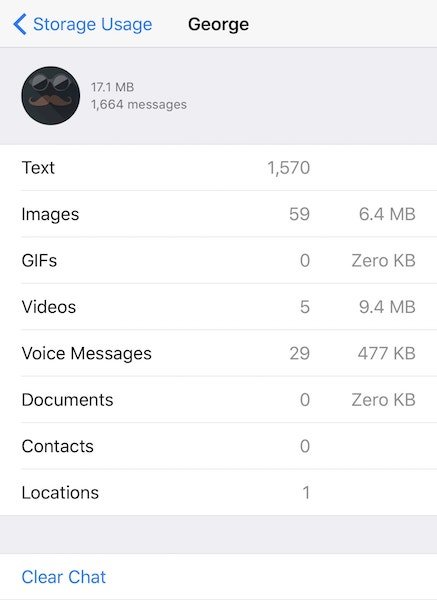
Using the new storage management feature, users can easily and quickly free up space by going to Settings >Data and Storage Usage in WhatsApp. Tapping on Storage Usage brings up a view with a list of all current chats and group conversations and the space used by the media shared in each of them. From there, simply tap on the desired chat to open a detailed break up of the types of files shared like voice messages, photos, videos, GIFs, contacts, locations and documents. To clear up certain type of media in that chat, select ‘Clear Chat’ option to mark and delete unwanted media files.
Users can now send messages even at times of no or poor Internet or data coverage. WhatsApp will line-up their messages to be sent automatically as soon as connectivity is established. Previously, the ‘send’ option used to get disabled when users did not have data or Internet coverage, thus were unable to send texts or replies until a connection was established. This feature was already available on WhatsApp for Android devices and has just made its way to iPhone users with the update.
Lastly and perhaps the most important update to WhatsApp in this release is that users can now share up to 30 media files at once in a single message. The previous limitation of sending up to 10 photos or videos is gone for good. This works for both one-to-one chats as well as group messages.


