Overcast podcast player for iOS has received a new update today which brings support for home screen widgets, new CarPlay features, and bug fixes.
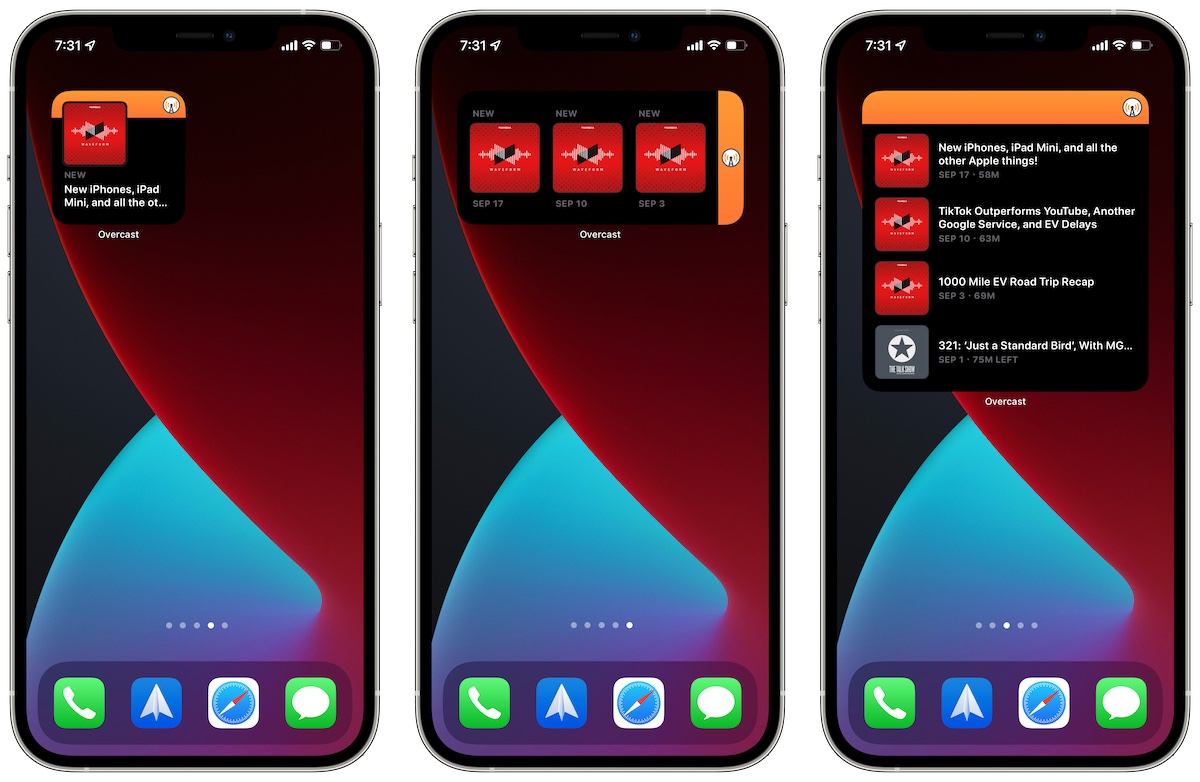
Overcast gains home screen widgets and new CarPlay features
Overcast is one of the most popular podcast players for iPhone and iPad. It contains support for features such as smart speed, voice boost, and downloading podcasts offline to listen later. Users can also search and browser for new podcasts in the directory, and set up playlists and notifications. There are also Apple Watch and CarPlay apps available for Overcast.
With the latest update, Overcast now supports three modern home screen widgets that work with iOS 14 and later updates. These work on both iPhone and iPad home screens, and show the latest episodes in the subscriptions list. When users tap on any of the episodes, they open up Overcast and start playing right away. It’s not as useful as having playback control in the widget, but this is the most amount of interactivity that Apple allows. You can always open the control center or use the lock screen media playback controls to pause or replay your Overcast podcasts.
The second update is for CarPlay users and brings support for Recents, speed control, chapters, and other features that are already available in the Overcast app on iOS.
– Widgets, finally!
– New CarPlay features, including Recents, speed control, chapters, and more
– Audio-interruption fixes
In case you are wondering, the new widgets also work well on macOS Big Sur and macOS Monterey if you use the Overcast iOS app on an M1 Mac.
Overcast is available for free in the iOS and Mac App Store and a premium subscription can be purchased for $10 per year which simply removes ads. If you listen regularly to podcasts, this is a must-have app on your iPhone, iPad or M1 Mac.
Download Overcast
Read more:


1 comment