Google has added support for native OS X notifications in the latest Chrome update. This allows Chrome to show notifications similar to Safari as well as list them in the Today view in OS X’s notification center.

Follow these steps to enable native notifications on your Mac:
- Open Chrome and go to chrome://flags/#enable-native-notifications in your browser.
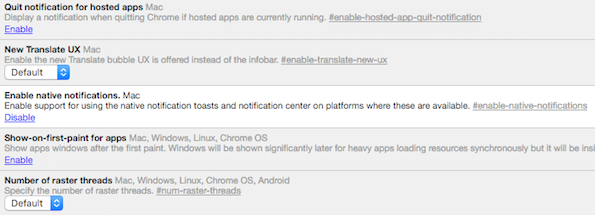
- Click enable and restart Chrome.

This has been tested to be working fine on Chrome version 49. However, note that clicking on the notification toasts does nothing, unlike Chrome’s own notifications. You still have to manually navigate to the notification source to view it. To turn off native notifications, simply follow the above steps and disable them.
It is unclear when Google will make this the default option but it is good to see them headed in that direction.
If you are a Safari user, check out our guide on how to make Safari for Mac work like Google Chrome with extensions and other tips.
via TNW


