Flipcorder is a new retro camcorder app for iPhone that records your day in 20-second clips and stacks them onto one dated tape. It costs $4.99 once, and it was built with the iPhone Duo in mind.
The app is on the App Store from Lotus Apps. Matt, who started the studio in 2015 and is based in Knoxville, Tennessee, built it as a dad who wanted home video with the chatter left in. It runs on any iPhone with iOS 26 or later, and the iPhone Duo features need iOS 27.1.
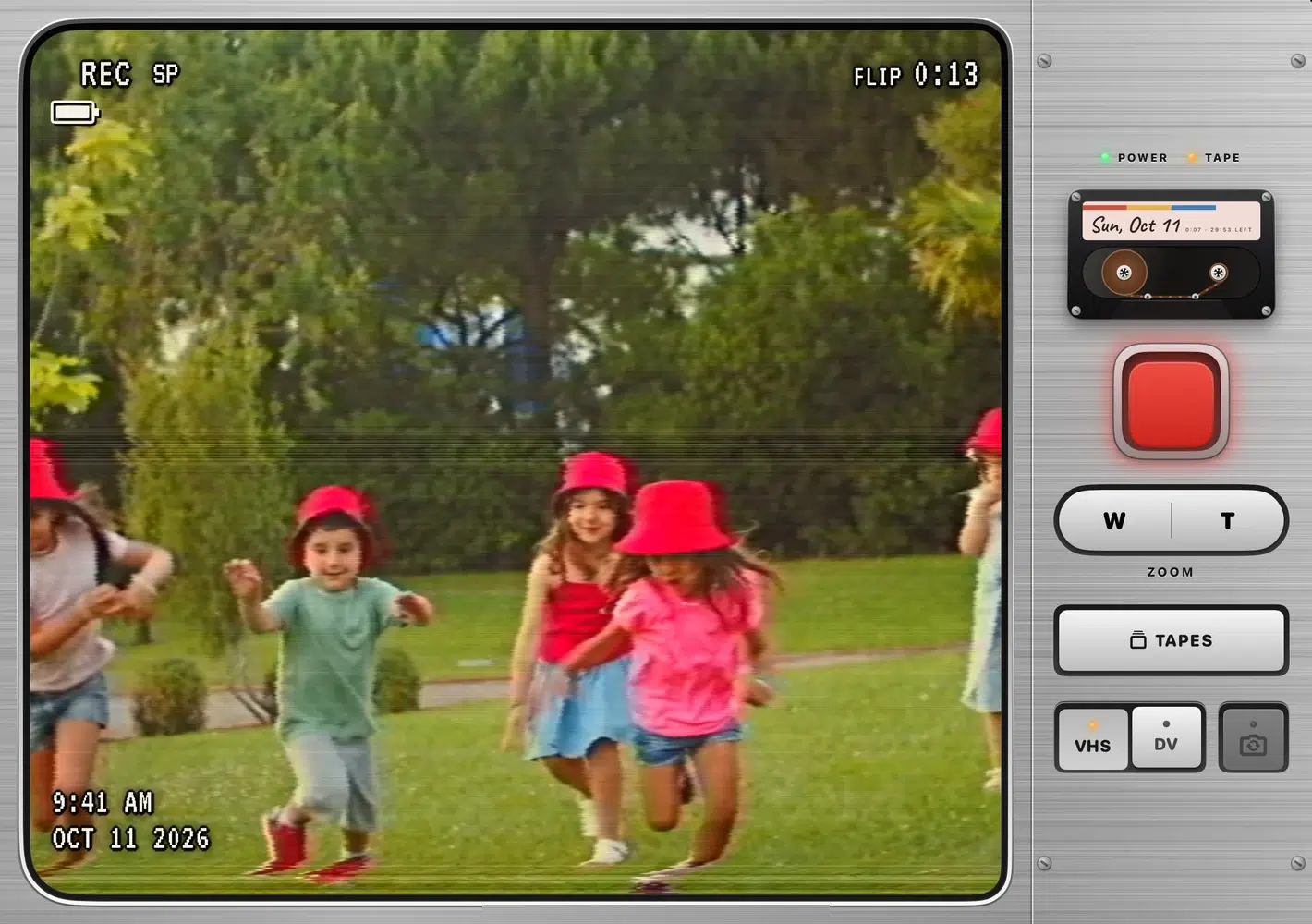
The iPhone Duo fold works as the camcorder power switch
Open the iPhone Duo and the viewfinder warms up like an old TV. Open it all the way and the outer screen shows the person you are filming themselves, in the same retro look, with a red REC light so they know when to wave.
Close the iPhone Duo in the middle of a recording and the clip is saved before the app powers down. Every other iPhone gets a glowing POWER key that does the same job. The foldable features need iOS 27.1, which Apple released for the iPhone Duo only.
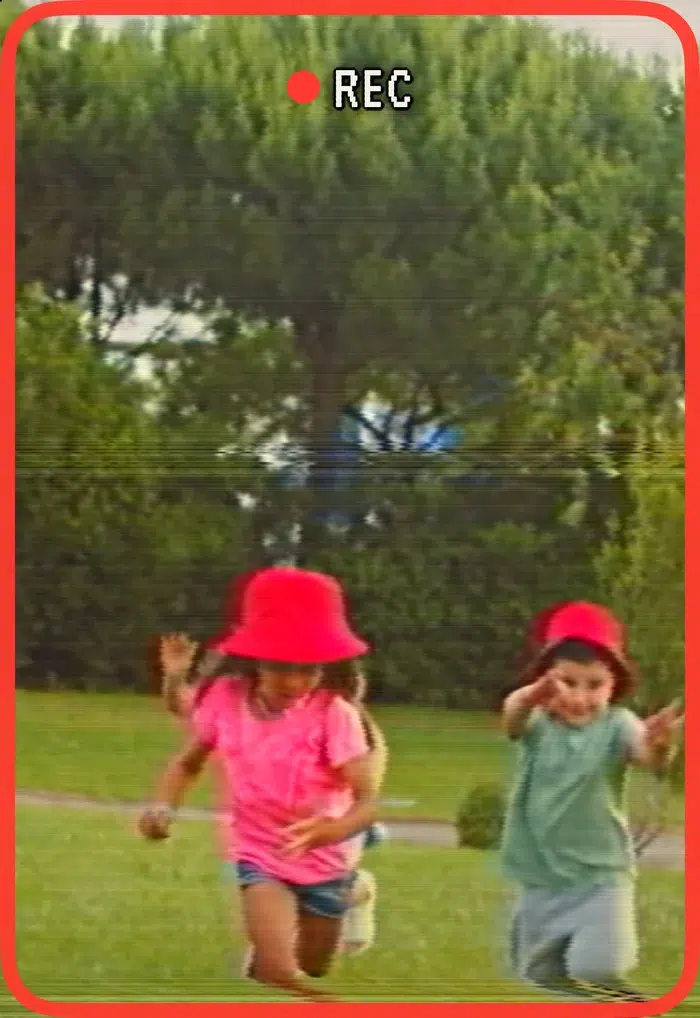
The stock Camera app has its own foldable tools, including Smart Take, Duo Preview and Kid Cue on the iPhone Duo. Flipcorder skips all of that and gives you a fixed camcorder with a big red record key.
Every flip stops at 20 seconds and each day gets a 30-minute tape
Press the red key and Flipcorder records a flip that stops by itself at 20 seconds, with a quiet countdown in the viewfinder. A setting removes the limit if you want longer takes.
Each day has its own 30-minute tape, like a real cassette, and the camcorder shows how much is left. A fresh tape loads at midnight. A flip that runs into the end of the tape is cut short and saved, never lost.
There is no trimming, cutting or importing. Flips land on the tape in the order you filmed them, mistakes included. Tonight you play the tape back and save it to Photos as one movie that opens on a title card.
Flipcorder adds the look when you save, and you can choose VHS with bleeding color, tracking wobble and a date stamp, or crisp MiniDV. You can also save the clean HD original with no look on it, and share it straight from the camcorder.
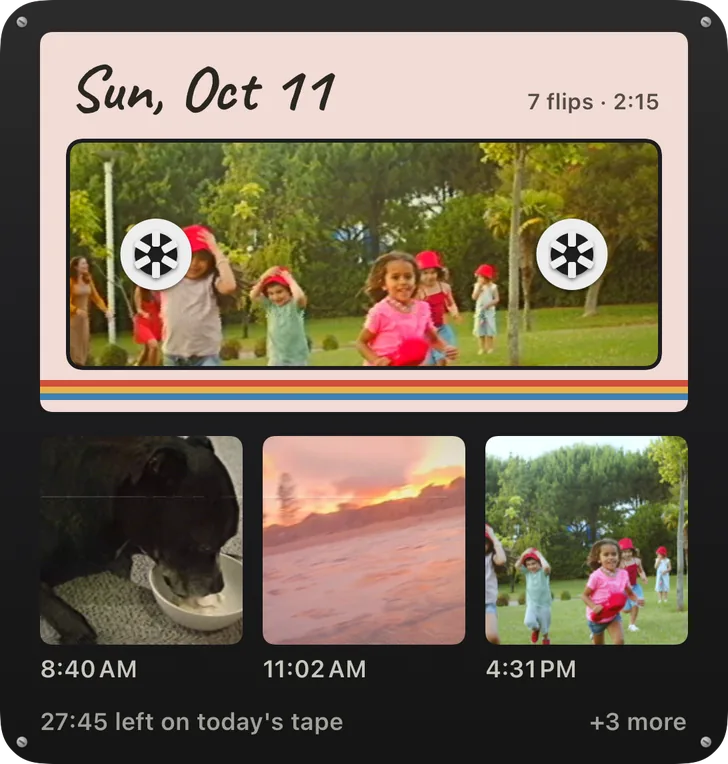
Home Screen widgets in small, medium and large show today’s tape as a cassette, with a flip from the day showing through its window. Tapping one opens the camcorder ready to film, or starts playing today’s tape. Lock Screen widgets show the flip count and your latest flip, and a setting switches the pictures off.
You can also add a Record control to Control Center, the Lock Screen or the Action button. Asking Siri to “Record on Flipcorder” or touching and holding the app icon does the same thing. Each one opens the camcorder on today’s tape, and you still press REC yourself.
Reminders are off until you turn them on. They include an afternoon check-in if today’s tape is blank and an evening note when it is ready to play. There are no streaks.
Videos stay on your iPhone and the price is a one-time $4.99
Flipcorder has no account, no cloud and no tracking. Every tape lives inside the app, one folder per day, and it is included in your iPhone backup. Copying new flips to Photos is off by default, so nothing leaves the app until you save or share it.
The $4.99 price covers everything. There is no subscription, no in-app purchases, no ads and no watermark. Matt says a more organized library for full shelves of tapes and an Apple TV app are planned for later this year.
Flipcorder is 9.9 MB, rated 4+, and supports Family Sharing for up to six family members.


