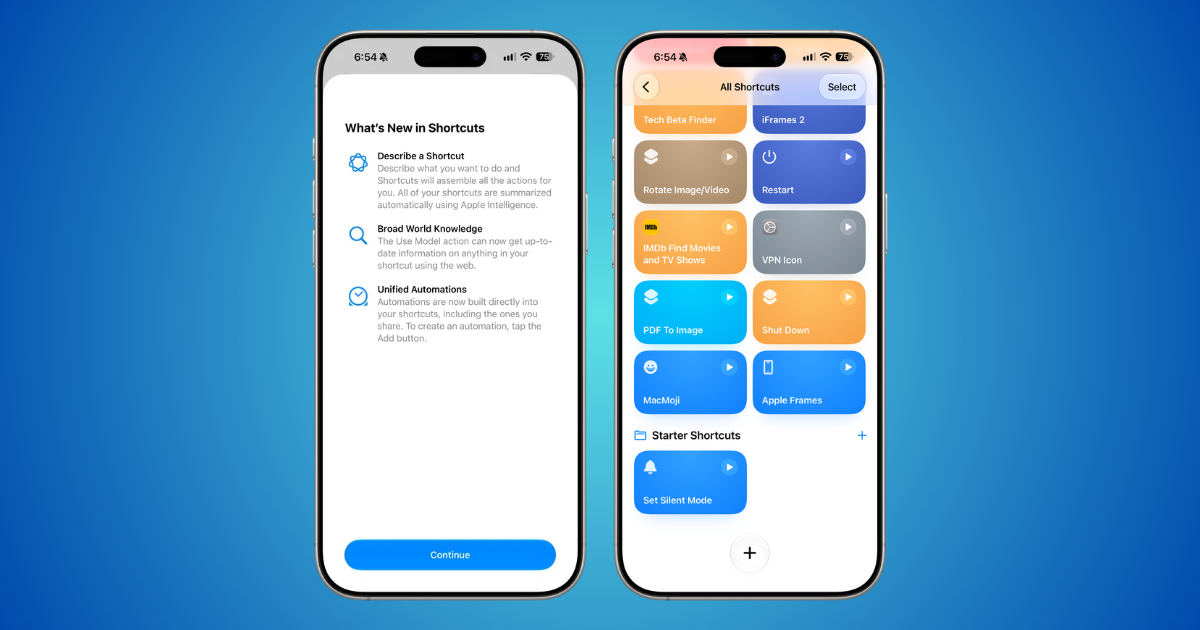
Describe a Shortcut in iOS 27 builds a shortcut from a sentence you type in the Shortcuts app. Apple Intelligence assembles the steps, so a multi-step automation no longer means searching through actions one by one.
The feature needs an iPhone 15 Pro or newer and also works on iPad and Mac. If the first version is not quite right, you can describe a change in plain words or tap to fix it yourself.

Describe a Shortcut Needs an iPhone 15 Pro or Newer
On iOS 27, Apple Intelligence runs on the iPhone 15 Pro, iPhone 15 Pro Max and every iPhone 16 or later, so an older iPhone that can run iOS 27 will not get it. Siri and the device language both have to be set to a language Apple Intelligence supports.
Apple Intelligence is not available in every language or region, and usage limits may apply.
How to Create a Shortcut With Describe a Shortcut
- Open the Shortcuts app.
- Tap the Add button to start a new shortcut. Shortcuts asks what you want the shortcut to do.
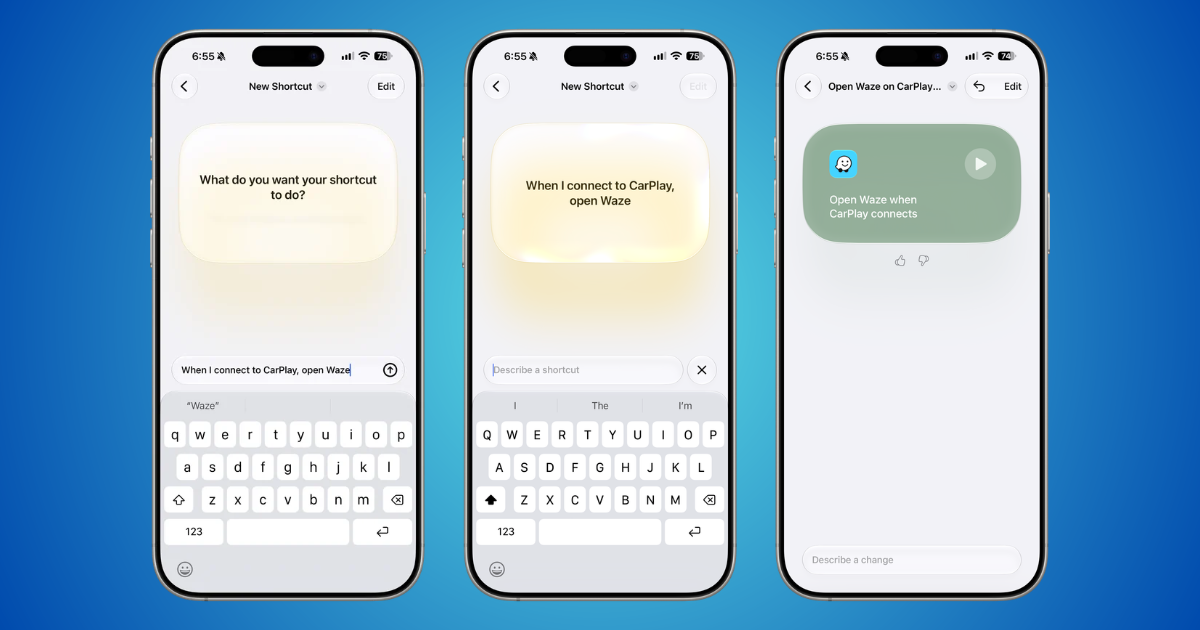
- Type what you want the shortcut to do, in your own words.
- Wait while Apple Intelligence builds the shortcut.
- Tap the Play button to test it. Note that Shortcuts saves the shortcut automatically.


Describe a Change or Tap Edit to Fix the Result
The first version does not always match what you had in mind. Describe the change you want in plain words and Shortcuts adjusts the shortcut, or tap Edit to change the contents directly.
Shortcuts also summarizes your existing shortcuts with Apple Intelligence in the editor, which helps when you open an older one and cannot remember what it does. Safari has the same idea for browser add-ons with Describe an Extension.
Common Questions About Describe a Shortcut
Why Don’t I See the Option to Describe a Shortcut?
Check that your iPhone is an iPhone 15 Pro, iPhone 15 Pro Max or an iPhone 16 or later, that it runs iOS 27, and that Apple Intelligence is available in your language and region. If one of the three is missing, you can still build a shortcut by tapping Edit and adding actions yourself.
Does Describe a Shortcut Work on iPad and Mac?
Yes. You can create shortcuts from a description on iOS, iPadOS and macOS. The Shortcuts on iOS 27 also includes redesigned automations and new Reminders actions.


