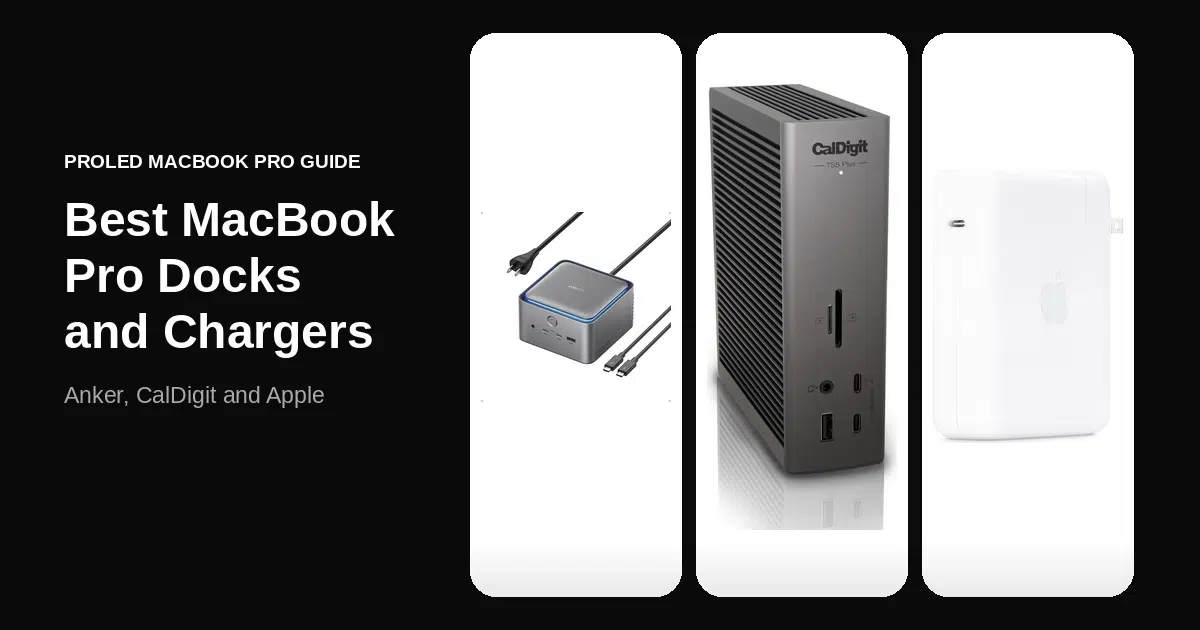
The best iMac with M6 accessories, hubs and docks start with its ports, since the iMac with M6 has four Thunderbolt 4 ports on the 12-core model and two on the 10-core model. A dock turns one of those ports into Ethernet, USB-A ports and card readers, which leaves the 10-core model with a single port free.
The 12-core model supports two external 6K displays, so it can drive a dock and a second screen, while the 10-core model supports one external display. Pick a Thunderbolt 4 dock for a full desk, a USB-C hub for the two-port model, or Apple’s Magic Trackpad and Magic Keyboard with Touch ID for the desk itself.
iThinkDifferent may earn a commission from purchases made through links in this article.
| Product | Price | Discount | Why we picked it | Buy |
|---|---|---|---|---|
 CalDigit TS4 Thunderbolt 4 Dock | $379.99 | Current price | 18 portsThree Thunderbolt 4 ports with 2.5GbE. | Check on Amazon |
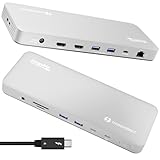 Plugable Thunderbolt 4 Dock TBT-UDM | $199.95 | Current price | Dual 4K HDMI13 ports with driverless setup. | Check on Amazon |
 UGREEN 8-in-1 Thunderbolt 4 Docking Station | $169.98$249.99 | 32% OFF | Three downstream portsThunderbolt 4 dock with a 140W charger in the box. | Check on Amazon |
 Satechi Thunderbolt 4 Slim Hub Pro | $199.99 | Current price | Slim hubThunderbolt 4 ports with daisy-chaining. | Check on Amazon |
 Anker 8-in-1 USB-C Hub | $49.99 | Current price | Single-cable hubHDMI, Ethernet, USB-A and card reader. | Check on Amazon |
 Apple Magic Trackpad | $115.99$129 | 10% OFF | Multi-Touch gesturesWireless with a USB-C port. | Check on Amazon |
 Apple Magic Keyboard with Touch ID and Numeric Keypad | $179 | Current price | Touch IDExtended layout with a numeric keypad. | Check on Amazon |
 OWC Express 1M2 4TB USB4 Portable NVMe SSD | $1,279.99 | Current price | Bus-powered SSDUSB4 enclosure at 40Gb/s with a 4TB drive. | Check on Amazon |
The 10-Core iMac with M6 Has Two Thunderbolt Ports
Each Thunderbolt port on the iMac with M6 runs at up to 40Gb/s, and both models keep the 3.5 mm headphone jack. A dock or hub takes one port and gives back several, and the 12-core model still has three free.
The 12-core model includes 2.5Gb Ethernet and the 10-core model can be configured with it, so a dock with only Gigabit Ethernet caps a wired connection at 1Gb. Reaching 2.5Gb needs a router or switch with a 2.5 Gigabit port.
CalDigit TS4 Adds 18 Ports and 2.5GbE Ethernet

The CalDigit TS4 has the most ports of any dock here, 18 in all. Three are Thunderbolt 4, eight are USB-C or USB-A at 10Gb/s, and the rest are SD 4.0 and microSD 4.0 UHS-II readers, DisplayPort 1.4 and three audio jacks. Each downstream Thunderbolt port supplies 15W, and the host port charges a laptop at up to 98W.
Its 2.5GbE port matches the Ethernet on the 12-core iMac with M6 and works only over a Thunderbolt connection, where the Plugable TBT-UDM below stops at Gigabit. It needs macOS 11.4 or later, and the box holds a 0.8 m Thunderbolt 4 cable and a 230W power supply.
Plugable Thunderbolt 4 Dock Drives Dual 4K HDMI

The Plugable Thunderbolt 4 Dock TBT-UDM is the one with two HDMI 2.0 ports, each driving a 4K display at 60Hz without drivers on M4 and M5 Macs. Its 13 ports also include four USB-A ports, a USB-C port, SD and microSD UHS-II readers and one downstream Thunderbolt 4 port.
Displays on the dock count against the iMac’s own limit, so the second HDMI port helps the 12-core model more than the 10-core model with its single external display. Charging reaches 96W, Ethernet is Gigabit, and macOS 13 or later asks you to approve the accessory in System Settings. Plugable backs it with a two-year warranty and lifetime support.
UGREEN Thunderbolt 4 Dock Has Three Downstream Ports

The UGREEN 8-in-1 Thunderbolt 4 Docking Station puts most of its ports into Thunderbolt, with one upstream and three downstream ports at 40Gbps and 15W each, plus three USB-A ports at 10Gbps. Gigabit Ethernet is the only wired option, which is slower than the 2.5Gb port on the 12-core iMac with M6.
The included 140W GaN charger has to stay connected for the dock to work, and it charges a laptop at up to 85W. It drives two 4K 60Hz displays on Pro and Max M-series Macs and one on basic chips. The CalDigit TS4 is the dock to choose if you also want card readers.
Satechi Thunderbolt 4 Slim Hub Pro Daisy-Chains Six Devices

The Satechi Thunderbolt 4 Slim Hub Pro is the slim aluminum option, with a Thunderbolt 4 host port, three downstream Thunderbolt 4 ports at 40Gbps and one 10Gbps USB-A port. It daisy-chains up to six devices and supports dual 4K 60Hz or a single 8K 30Hz display.
It has no card reader or Ethernet port, so it suits the 12-core iMac, which has Ethernet built in, better than a desk that needs one dock for everything. A 150W power supply and a Thunderbolt 4 cable come in the box, and the 10-core iMac with M6 gives up one of its two ports to get three back.
Anker 555 USB-C Hub Suits the Two-Port iMac

The Anker 555 USB-C Hub (8-in-1) is the single-cable choice, with a built-in 7.48-inch USB-C cable in place of a port. It adds one HDMI port, a USB-C data port and two USB-A ports at 10Gbps, an Ethernet port, and an SD and microSD reader.
HDMI is the only port that carries video, and it reaches 4K 60Hz with a DP 1.4 host. Pass-through charging reaches 85W but needs a 100W charger and cable that are not included. Unlike the docks above, it adds no Thunderbolt ports, and it comes with an 18-month warranty.
Apple Magic Trackpad Adds Multi-Touch Gestures With USB-C

The Apple Magic Trackpad is the only pointing device in this list, a wireless glass trackpad with Multi-Touch gestures and Force Touch that pairs automatically with a Mac. A charge lasts about a month or more, and it pairs and charges over USB-C.
The iMac with M6 comes with a Magic Mouse by default and offers color-matched accessories, with the Trackpad as a configure-to-order option, so this is how you add one afterward. It needs macOS 15.1 or later, and the box holds only the trackpad and a USB-C charge cable.
Magic Keyboard With Touch ID Adds a Numeric Keypad

The Apple Magic Keyboard with Touch ID and Numeric Keypad adds fingerprint login and purchases to an extended layout with document navigation keys, full-size arrow keys and a numeric keypad. The battery lasts about a month or more, and a woven USB-C charge cable is in the box.
The 12-core iMac with M6 includes a Magic Keyboard with Touch ID as standard, while the 10-core model comes with the base Magic Keyboard and can be configured with this one. It needs a Mac with Apple silicon and macOS 15.1 or later, and comes in white or black.
OWC Express 1M2 Is a Bus-Powered USB4 SSD

The OWC Express 1M2 is the bus-powered way to add storage, a palm-sized aluminum USB4 enclosure rated at 40Gb/s that takes M.2 2230, 2242 or 2280 NVMe SSDs. OWC rates real-world speeds at up to 3,189MB/s on Apple silicon Macs, which is within the 40Gb/s of each Thunderbolt port on the iMac with M6.
This 4TB version is a complete solution with the drive installed, which OWC backs with three years instead of the two on the enclosure alone. The box includes a 40Gb/s USB-C cable and a screwdriver, and the cable is only 0.3 m, so the drive sits close to the iMac’s ports.
What to Check in an iMac with M6 Hub or Dock
Accessories also set a macOS floor, from macOS 11.4 for the CalDigit TS4 to macOS 15.1 for the Magic Trackpad and the Magic Keyboard with Touch ID and Numeric Keypad.
Ethernet speed differs too, because the CalDigit TS4 has 2.5GbE, the Plugable and UGREEN docks have Gigabit Ethernet and the Satechi hub has no Ethernet port.
My Pick Is the CalDigit TS4 Dock
I would get the CalDigit TS4 for a 12-core iMac with M6, because it matches the 2.5Gb Ethernet and adds three Thunderbolt 4 ports and card readers. The Anker 555 USB-C Hub (8-in-1) is the simpler choice for the two-port 10-core model, the Plugable suits a dual-HDMI desk, and the Magic Keyboard with Touch ID and Numeric Keypad is the add-on for a 10-core buyer.
Questions About iMac with M6 Accessories
How many Thunderbolt 4 ports does the iMac with M6 have?
The 12-core model has four Thunderbolt 4 ports and the 10-core model has two Thunderbolt ports. Each port runs at up to 40Gb/s.
Does the iMac with M6 have Ethernet?
The 12-core model includes 2.5Gb Ethernet and the 10-core model can be configured with it. Reaching that speed needs a router or switch with a 2.5 Gigabit port.
How many external displays does the iMac with M6 support?
The 12-core model supports two external 6K displays and the 10-core model supports one external display.
Does the iMac with M6 come with a keyboard and mouse?
It comes with a color-matched Magic Keyboard and a Magic Mouse by default, and the Magic Trackpad is a configure-to-order option. The 12-core model includes the Magic Keyboard with Touch ID as standard.
Which dock suits the 10-core iMac with M6?
The 10-core model has two ports and one external display, so a Thunderbolt dock such as the CalDigit TS4 or the Satechi Thunderbolt 4 Slim Hub Pro is the practical fit. Either one connects through a single port and adds Thunderbolt and USB ports behind it.
Newsletter
Never miss an Apple story
One email a day, the news that matters. No spam, unsubscribe anytime.
You're subscribed
We sent a confirmation to your inbox — check spam if you don't see it.

Product prices and availability are accurate as of the date and time indicated and are subject to change.
As an Amazon Associate I earn from qualifying purchases.