To pose iPhone Duo, fold it partway and set it down, and the angle you pick decides which display faces you and which way it is oriented. The seated position is the one to learn first, because it is the only partial fold that keeps the inner display in portrait.
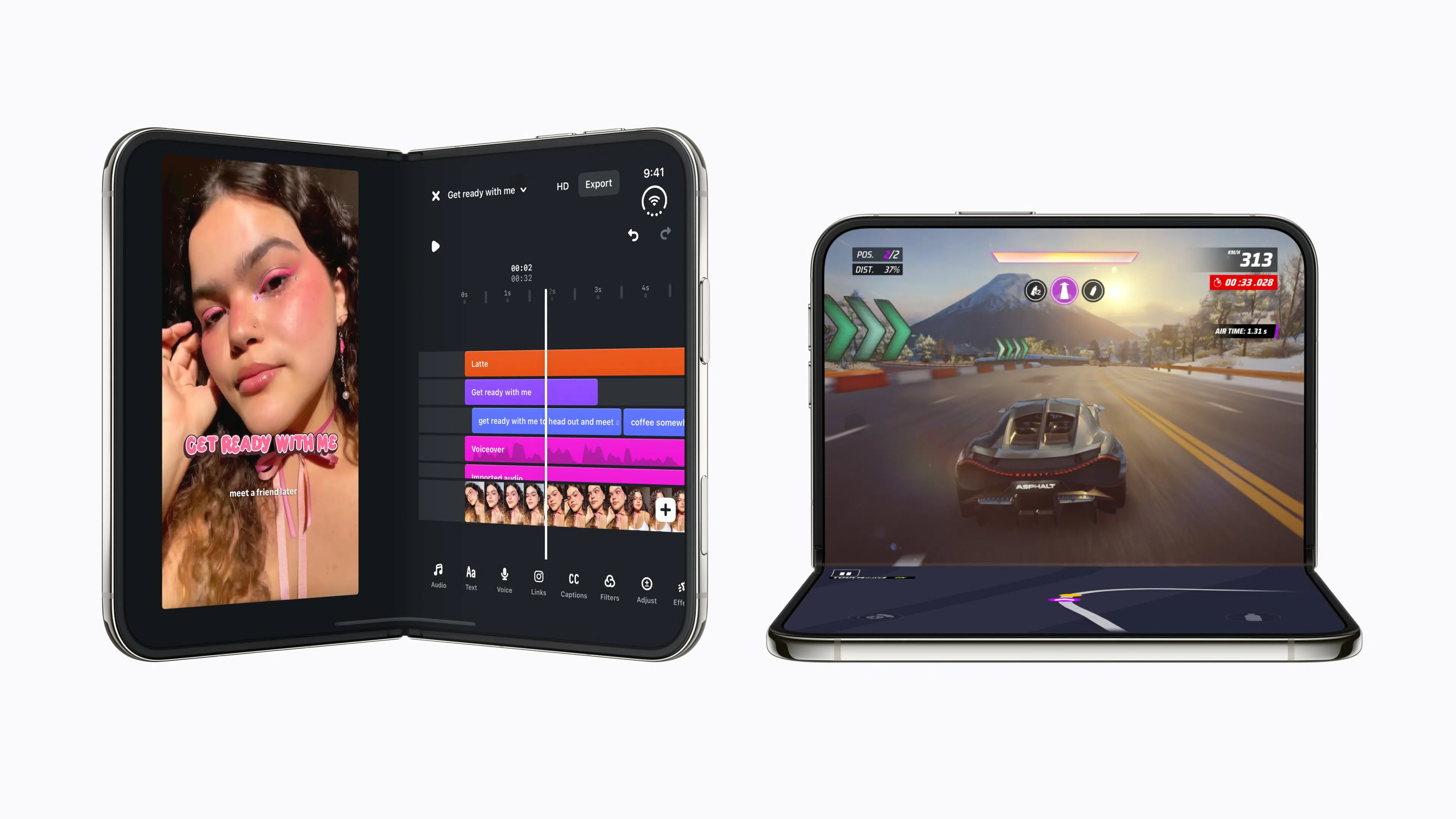
iPhone Duo has three partial-fold positions for setting it down, named book, tent and seated. Closed, the outer display handles quick tasks, and open, the inner display handles reading and two apps side by side.
Pose iPhone Duo in the seated position to watch video or take FaceTime calls hands-free

Fold iPhone Duo partway and set it down in the seated position, and the inner display faces you in portrait. Video plays with the playback controls along the bottom, which suits watching from a distance.
The same position holds a FaceTime call without you holding the phone. The camera sits under the inner display and records 1080p video, and Duo FaceTime lets people standing nearby join the call on the outer display.
The tent position turns the outer display toward the room or your subject

Set iPhone Duo down like a tent and the outer display faces you in landscape. It works as a clock or photo frame from across the room, and StandBy starts on the outer display even when iPhone Duo is not charging. Open Settings > StandBy to choose which positions start it.
The tent position is also the one for photographing other people, since the outer display faces whoever stands in front of the cameras. Duo Preview and Kid Cue both run on that display, with Duo Preview showing a mirrored live preview of the shot and Kid Cue playing an animation to get a child or pet looking at the lens. Turn either one on from the Outer Display Options button in Camera.
The book position keeps the inner display in landscape for holding or Smart Take

Fold iPhone Duo like a book and the inner display faces you in landscape. You can hold it that way and keep using it, or set it down.
Set down on a table, the book position runs StandBy on the inner display and lets Smart Take shoot while you step into the frame. Smart Take is on by default once iPhone Duo sits steady on a surface, and it takes up to 20 photos over a couple of minutes.
Apps can adapt to the fold as well, for example, timespent has separate layouts for landscape, half folded, portrait, closed and standing iPhone Duo poses.
Lastly, you can unfold your iPhone Duo and use it in portrait mode or landscape mode for the full tablet experience. This gives you the maximum screen real estate and you can also run apps in split view in landscape mode.
Which iPhone Duo pose do you use your device in mostly? Let us know in the comments below!


