You can set up the OLED iPad mini from November 6, when Apple starts delivering orders and putting the tablet in its stores. The first step is Quick Start, which ties up both your old iPad or iPhone and the new tablet until the transfer finishes.
Siri AI needs your device language and Siri language set to the same supported language, and the cellular models take plans through eSIM only. iPadOS 27.2 adds extended display mode for the new iPad mini’s USB-C port.
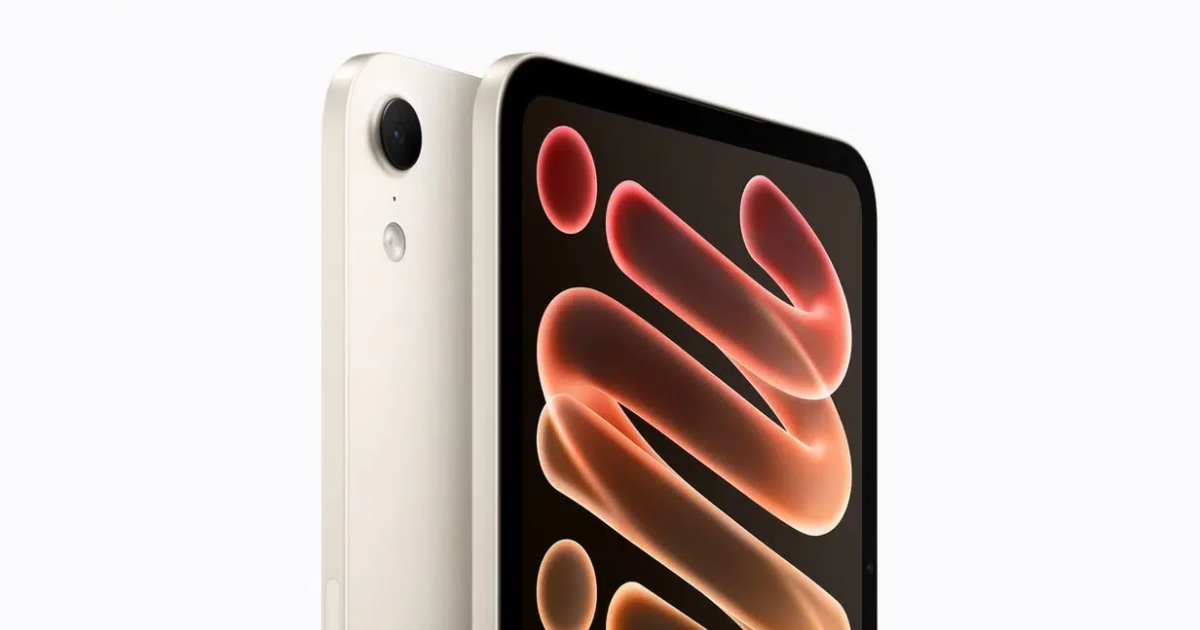
1. Move Your Data Over With Quick Start
Quick Start sets up your new iPad from an iPhone or iPad you already own. It ties up both devices, so pick a time when you will not need the old one for several minutes, and update both to the latest iOS or iPadOS first.
If you buy directly from Apple, you also get Personal Setup, free online sessions where a Specialist walks you through setup and data transfer.
2. Update to iPadOS 27.2 and Plug In a Monitor
Open Settings, tap General and then Software Update to install the latest iPadOS. Version 27.2 adds extended display mode, so an external monitor works as a separate workspace for windowed apps.

You can plug one external display into the USB-C port at up to 4K and 60Hz through DisplayPort, and the port handles USB 3 transfers up to 10Gb/s.
3. Add a Fingerprint to the Top Button
Your iPad mini has Touch ID in the top button and no Face ID. You use Touch ID to unlock the iPad and approve purchases from the App Store and Apple Books. It also works with Apple Pay in apps and on the web.
4. Turn On Siri AI From the Siri Settings
Open Settings, tap Siri and then tap Try Siri AI (Beta), turning Siri on first if it is off. You pick a voice, complete voice enrollment and review your privacy settings, and Siri AI starts downloading automatically. During high demand Apple can add you to a waitlist first, so wait times vary.

Your device language and Siri language have to be the same one of English, French, Japanese, Korean, Portuguese or Spanish, and Siri AI is not available on iPadOS in the EU. Server-based features carry daily usage limits, and Apple plans to charge for expanded access later.
The Siri app keeps your conversation history in sync through iCloud, so a chat that starts on an iPhone continues on the iPad mini.
5. Pair Apple Pencil Pro or Apple Pencil (USB-C)
The iPad mini works with both pencils. Apple Pencil Pro pairs wirelessly and attaches magnetically to charge, while Apple Pencil (USB-C) pairs through a USB-C cable and attaches magnetically for storage. Apple Pencil Pro adds squeeze and barrel roll gestures and works with Find My, and it costs $129 against $79 for the USB-C model.

With either pencil, Scribble converts handwriting in any text field to typed text, and Apple Pencil hover works on the display. Image Wand, part of Apple Intelligence, turns a rough sketch in Notes into an image in almost any style.
6. Set the Liquid Glass Slider to the Look You Prefer
iPadOS 27 adds a slider in Settings that moves Liquid Glass anywhere between ultraclear and fully tinted. Move it toward tinted if the translucent panels are hard to read, and toward ultraclear if you want to see the content behind them.

7. Check the OLED Display With HDR Video
The display on your iPad mini reaches 1200 nits for HDR content, while SDR content tops out at 600 nits. It plays Dolby Vision, HDR10+, HDR10 and HLG video, and you can drop the brightness to 1 nit for reading in the dark.
You can only get nano-texture glass on the 256GB and 512GB models, and those models include a polishing cloth in the box. True Tone adjusts the white balance to the light in your room on every model.
8. Scan Documents With the Adaptive True Tone Flash
The 12MP rear camera on your iPad mini has an Adaptive True Tone flash that improves low-light photos and keeps your document scans free of shadows. The camera records 4K video at up to 60 fps, and the 12MP Center Stage front camera sits on the landscape edge, so it faces you during FaceTime calls.
9. Buy a 35W Adapter for Fast Charging
You get a 20W USB-C power adapter and a 1-meter USB-C charge cable in the box. To charge up to 50 percent in around 30 minutes, you need an adapter rated at 35W or higher, sold separately, and Apple measured that figure with its 35W Dual USB-C Port Compact Power Adapter or its 40W Dynamic Power Adapter.
The battery in your iPad mini holds 18.9 watt-hours and is rated for up to 10 hours of web browsing or video on Wi-Fi. Optimized Battery Charging learns your charging habits and delays the charge from 80 to 100 percent until you are likely to need it.
10. Add an eSIM Plan on the Cellular Models
The Wi-Fi + Cellular models take an eSIM only, so a physical SIM card will not work. You can get an eSIM plan from another iPad, an existing iPhone plan, a new plan added in Settings, a QR code or a carrier app. A cellular iPad mini bought from Apple is unlocked.

The C2 modem delivers up to 50 percent faster cellular data than the previous iPad mini, and the cellular models are rated for up to 9 hours of web browsing on cellular data.
11. Decide on AppleCare+ Before You Need It
The IP67 rating covers immersion in up to 1 meter of water for 30 minutes under lab conditions, but liquid damage is not covered under warranty. AppleCare+ covers accidents like drops and spills, with a $29 fee for a screen-only repair and $99 for other accidental damage.

A theft or loss claim carries a $129 deductible, and you need Find My turned on when your iPad goes missing.


