 While there has been an app for almost everything in the App Store, it was missing an app which would let you search using Bing. The only search engine choices available in the Mobile Safari browser included in the iPhone OS are Yahoo and Google. These two are locked in, so you can’t add bing or Wikipedia if you wish to ( which is a pathetic thing ). Thankfully, this app called bingGo lets you use Bing to search the web, images, videos, news and even maps in a very convenient way. Some might even mistake it for an official app by the Bing team, it’s that good.
bingGo also uses the Bing backgrounds as its wallpaper, although the images don’t really fit the screen in the portrait mode. There’s no landscape mode either.

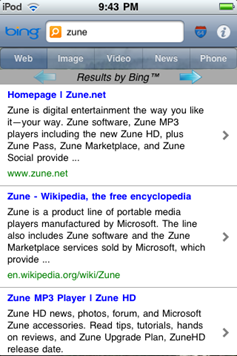
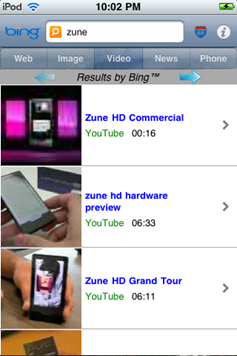
Searching is as easy as typing in your query and hitting search. The results are reformatted by the app and displayed very clearly.
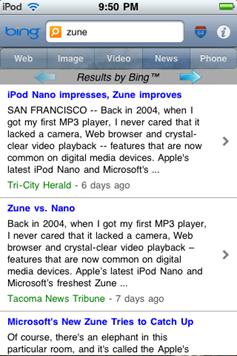
Same goes for news.
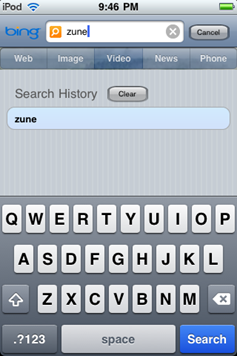
A history is maintained of the 10 most recent searches by default. This number can be changed in the settings.
A nice touch – related searches are shown for a bit after typing in the keywords. Search suggestions are far more useful than people realize and bingGo makes good use of them.
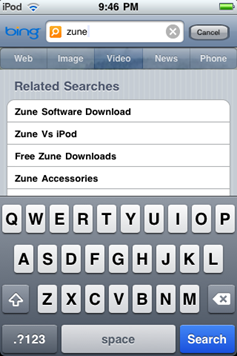
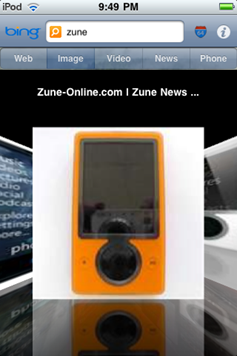
Image and video search results are shown in a Coverflow like a view by default. This can be changed in the settings as well for a more conventional results layout.

 The app is also location aware and provides you localized search with Bing maps and directions if you live in a supported area.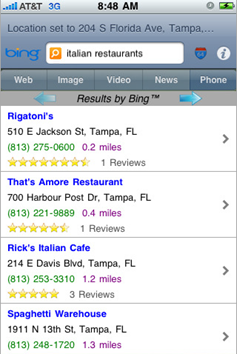
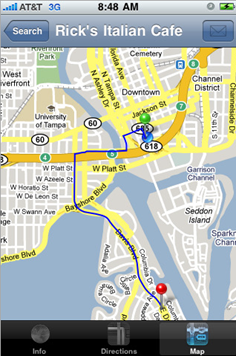
Overall, bingGo gives a great experience of using Bing, unlike the Google App which doesn’t even do half these things. If you like Bing, this is a must have app for your iPhone or iPod Touch. bingGo Costs $0.99.



Just got it, Its quite cool lol. Nice find.