Apple offers an Emergency SOS feature for all iPhone models that can be accessed at the press of a button. The feature has proven to be a lifesaver in a number of life-threatening situations. Every second counts when you are faced with an emergency and being able to contact emergency services using your mobile device helps ensures your safety.
The Emergency SOS feature on iPhone can automatically call local emergency helplines, which negates the need to manually entering the number in the Phone app. If you are new to Apple’s ecosystem, you may not know how to access this feature. So, here’s a simple guide you can follow to use the Emergency SOS feature in case of emergencies.
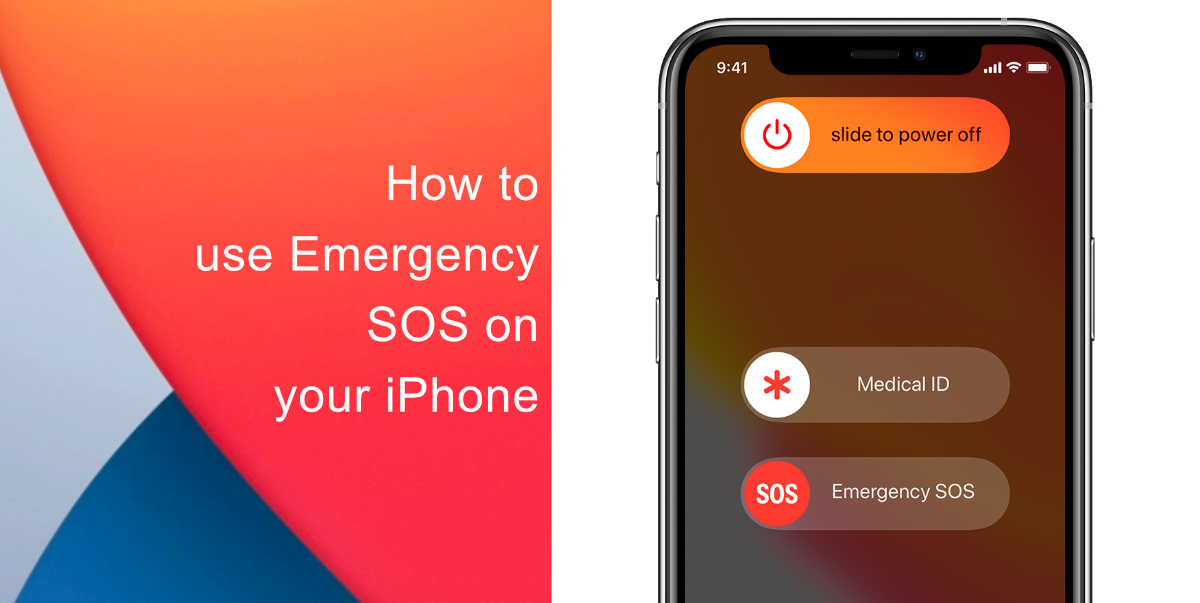
Learn how to use Emergency SOS on your iPhone
Activating the Emergency SOS feature can be done in a few simple steps, but the button presses required vary depending on the iPhone model you use.
- If you own an iPhone 8 or a new iPhone model with Face ID, you can access the feature by long-pressing the side/power button and one of the volume buttons simultaneously. This takes you to the shutdown screen but right below, you will see the Emergency SOS slides. You can swipe the slide to make an SOS call.
- If you own an iPhone 7 or older, you can access the Emergency SOS feature by pressing the power button five times.
We hope this guide helped you learn how to use Emergency SOS on your iPhone. If you have any questions, let us know in the comments below.
Read more:
- How to edit the date, time, or location of photos in iOS 15
- How to check if you have the latest AirTag firmware update
- How to download apps larger than 200MB over cellular data on iPhone
- How to hide like and view counts on new, existing and other users’ posts on Instagram
- How to use iOS 14.5’s app tracking transparency to block apps from tracking you
- How to reduce the size of your iCloud backup on iPhone and iPad
- Found an unknown AirTag moving with you? Here is how to disable it
- How to share iPhone screenshots without saving them to Photos
- How to unlock iPhone with Apple Watch while wearing a face mask
- How to use Screen Time to set a time limit for websites on iPhone and iPad