To make it easier for you to know if you were pinged in a group, Apple added support for Mentions to Messages with iOS 14. The feature also allows you to select to be notified if you have been mentioned in the group. However, if you are in a lot of Group Conversations on iMessage, you may want to turn off notifications for mentions in Messages.
Prior to the release of iOS 14, if you muted any group conversation in iMessage, you would not be notified when another user mentioned you in the chat. So mentions in Messages can be a useful feature as it allows you to join in conversations that are related to you. However, mentions can be annoying. Especially if they are being overused by other users. Luckily, you can turn off notifications for mentions in Messages pretty easily.
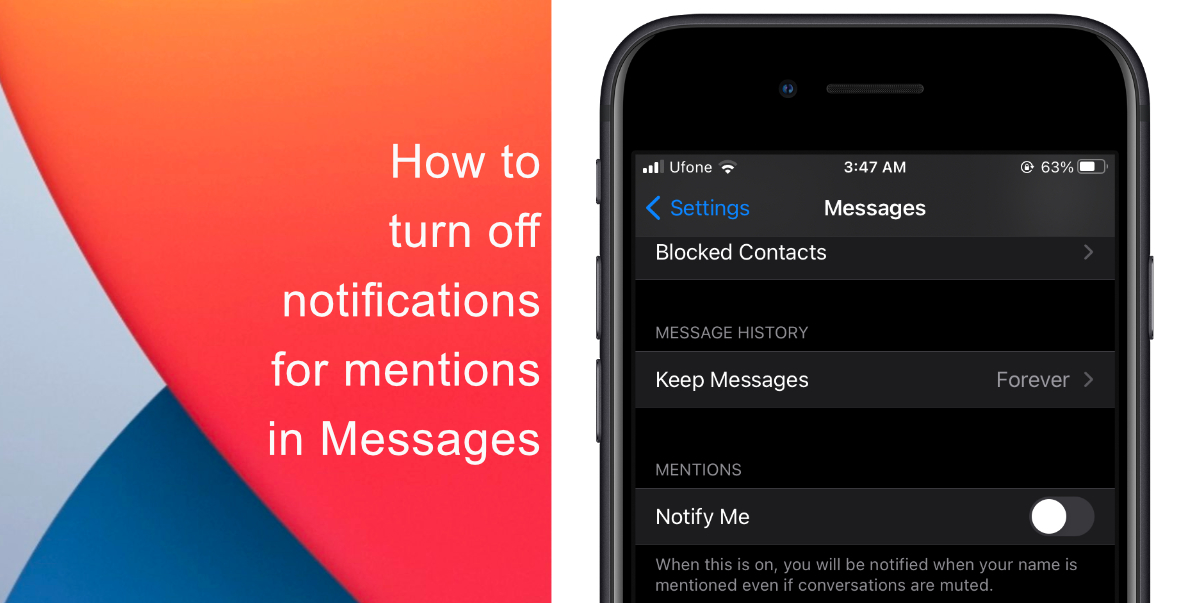
Learn how to turn off notifications for mentions in Messages on iPhone & iPad
- Launch Settings from the home screen of your iPhone or iPad.
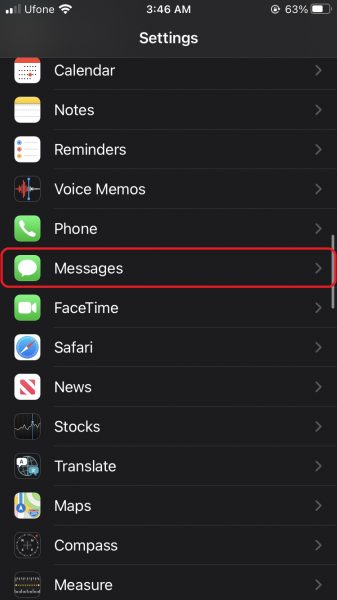
- Scroll down and tap on Messages.
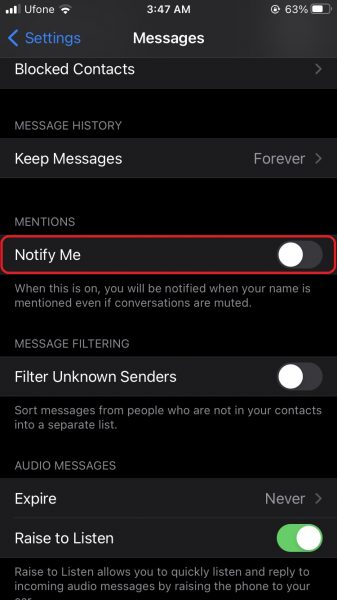
- Next, scroll down till you see a setting for Motions. Set the toggle for Notify Me to disabled.
We hope this guide helped you learn how to turn off notifications for mentions in Messages on iPhone & iPad. If you have any questions, let us know in the comments below.
Read more:
- How to edit the date, time, or location of photos in iOS 15
- How to use iOS 15 portrait video and audio effects in any app including Instagram, Snapchat and TikTok
- How to use Announce Notifications with Siri in iOS 15
- How to use WhatsApp on multiple devices without keeping your phone connected
- How to download apps larger than 200MB over cellular data on iPhone
- How to reduce the size of your iCloud backup on iPhone and iPad
- Found an unknown AirTag moving with you? Here is how to disable it
- How to unlock iPhone with Apple Watch while wearing a face mask
- How to use Screen Time to set a time limit for websites on iPhone and iPad


