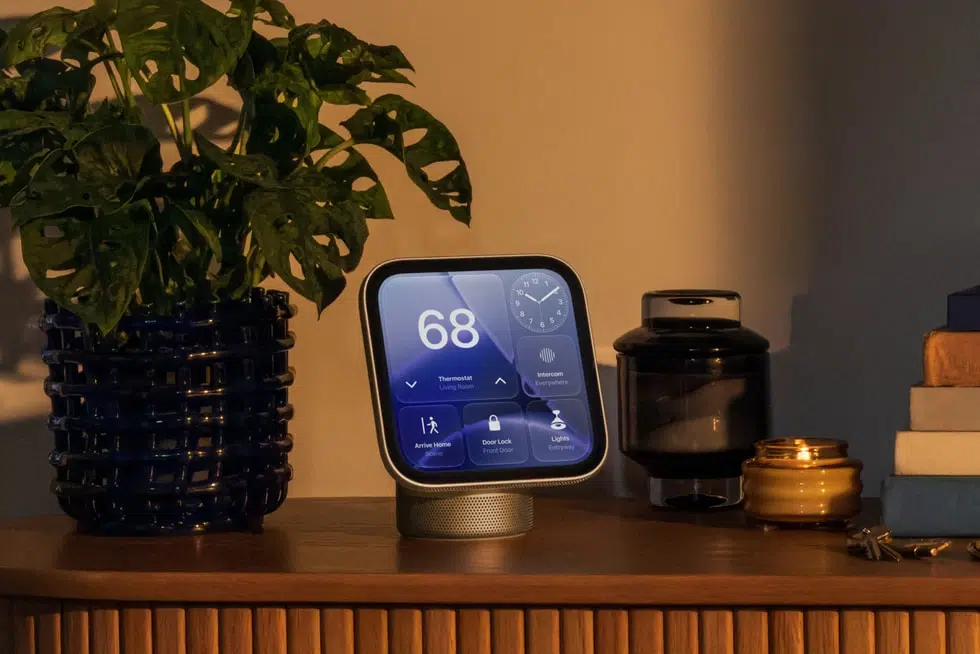
Apple HomeView is a $299 smart display built around music, FaceTime and home control, but video is where it seems to be simply an afterthought. The 7-inch screen is square, there is no App Store, and Apple has not named a single streaming service that runs on it, including its own.
Apple’s lists the display at 1088 by 1088 pixels and 220 ppi. The company pitches HomeView for videos alongside music, FaceTime and photos, but the numbers show why that is a hard sell.
Widescreen Video Will Fill Barely More Than Half of HomeView’s Screen
A 16:9 video would fit the full width of the panel and end up 1088 by 612 pixels. That is about 56 percent of the screen, with black bars above and below. At 612 pixels tall, the picture sits below 720p.
On the diagonal, the picture measures at most about 5.7 inches. Apple notes the display has rounded corners and that the viewable area is less than the 6.98-inch measurement, so the real figure is a little smaller.
Vertical video gets the same treatment turned sideways. A 9:16 clip fills the height of the screen but only about 56 percent of the width, which leaves bars on the left and right. This will impact not just vertical videos from the likes of Instagram, TikTok, and YouTube, but also content that is in the user’s Photos app.
The audio hardware is built for video too. Apple lists Spatial Audio with Dolby Atmos for music and video, and the base carries a down-firing woofer and two force-cancelling passive radiators. That is a lot of sound for a picture that tops out at 1088 by 612 pixels.
Streaming Apps Reach HomeView Through a Paired iPhone, Not an App Store
HomeView runs its own software and has no App Store. The spec sheet splits its apps into two groups:
- Built in: Alarms, Calendar, FaceTime, Find My, Home, Intercom, Messages, Music, Podcasts, Reminders, Safari, Settings, Timers, Weather and World Clock
- Available from iPhone: Audiobooks, Classical Music, News and the TV app, plus supported third-party audio and video apps
Select apps need a paired and compatible iPhone nearby, and the system requirements list an iPhone with iOS 27.2 or later, or an iPad with iPadOS 27.2 or later. Apple has not named any streaming service, including its own, and YouTube support is simply unconfirmed.
The route to more apps runs through CarPlay. An Apple developer document says apps with CarPlay audio or video entitlements appear on HomeView without any changes. CarPlay video apps only arrived with iOS 27, so until the big streaming services add support, they will not show up on the display.
Handoff offers another route, since Apple says you can start a video on iPhone and continue it on HomeView, though it has not said which video apps support that as of now.
HomeView Handles Camera Feeds and FaceTime Better Than Movies
Video is not a problem everywhere on the device. A square panel suits a grid of camera views, and the Home Camera face shows up to nine feeds at once. FaceTime calls are framed by the 12MP Center Stage camera, which keeps people in the shot as they move around the room.
Rectangular smart displays are a better shape for films and TV shows. A landscape display such as the Amazon Echo Show 11 can use most of its screen for widescreen video, and HomeView also costs more than both Amazon Echo Show models.
HomeView is fine for FaceTime, Apple Music and smart home control, but I would not buy it to watch anything longer than a clip. A square screen works well as a clock face, a photo frame or a camera wall. It is a poor shape for a film, and no software update will be able to change that.
If Netflix or YouTube add CarPlay video support, HomeView will get it too, eventually. The picture will still sit in a 1088 by 612 pixel box, which will result in a poor experience.
HomeView pre-orders are open at $299 for either model, and units start arriving November 13.


