A temporary shared album in iOS 27 lets you share photos and videos with other people for 30 days, after which it expires. It does not use your iCloud storage and does not need iCloud Photos turned on, so you can set one up for a trip or an event without changing anything else on your account.
You need version 27 or later of iOS, iPadOS, macOS or visionOS to create or view one, and you can also make one on iCloud.com. Apple added the 30-day expiry to Shared Albums in iOS 27, and the steps below cover iPhone, iPad, Apple Vision Pro, Mac and iCloud.com.

How to create a temporary shared album on iPhone, iPad and Apple Vision Pro
Open the Photos app and follow these steps.
- Tap Collections.
- Scroll down to Shared Albums and tap it.
- Tap the Add button.
- Type a name for the album and choose the photos you want to add. Tap Sharing Options to decide how people get in.
- Turn on Make Album Temporary.
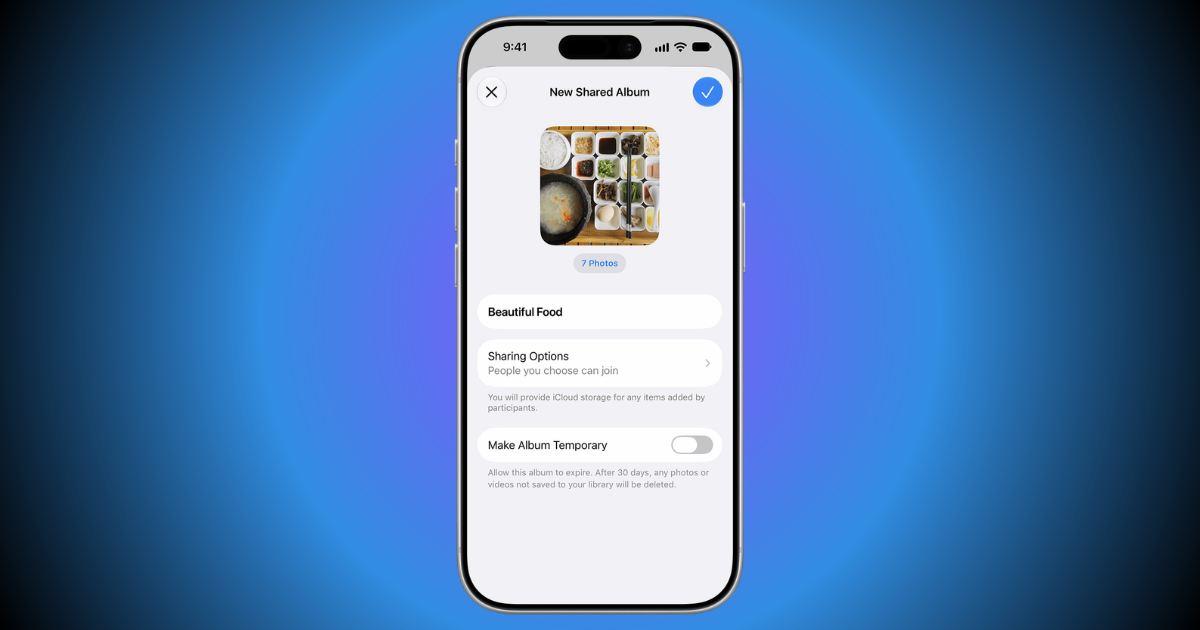
- Tap Done.
- Tap the Share button to invite people through Messages or Mail, or copy the link.

Invite and approve limits the album to people you invite or approve. The link option lets anyone with the link join, and you can choose whether they must request access first.
How to create a temporary shared album on Mac and iCloud.com
On Mac
- Open the Photos app.
- In the Sharing section of the sidebar, Control-click Shared Albums and choose New Shared Album. You can also hover over Shared Albums and click the Add button.
- Type a name for the album. Next to Who Can Access, choose whether to invite and approve people or share the album with a link.
- Turn on Make Album Temporary.
- Click Create.
- Click the Manage Shared Album button, then click Invite Participants to send invitations through Messages or Mail, or copy the link.

On iCloud.com
- Go to icloud.com/photos and sign in with your Apple Account.
- Select Shared Albums in the sidebar, click the More button, then click New Shared Album.
- Type a name for the album. Next to Who Can Access, choose whether to invite and approve people or share the album with a link.
- Turn on Make Album Temporary.
- Click Create.

How to keep a temporary shared album before it expires
To keep an album, open it, use the Manage Shared Album button and turn off Make Album Temporary. The album then counts toward your iCloud storage limit, so check how much free space you have first.

If you leave the setting on, the album expires after 30 days, and any photo or video you have not saved to your library is deleted. Each album holds up to 5,000 photos and videos.
Temporary shared albums are not available in all countries or regions. A child account can join one only when an adult in its Family Sharing group is also in the album.


