WhatsApp photo expansion is rolling out to some iPhone beta testers. The Meta AI option adds background around a landscape photo so it fills the whole screen as a portrait image.

The option is called Expand, and it sits in the drawing editor that opens when you pick a photo to send. Expand works for Status updates as well, where a landscape photo otherwise shows with black bars above and below it. You no longer need a separate app to resize the photo first.
WhatsApp photo expansion is in the Restyle with AI menu
Attach a photo in an individual or group chat, tap Restyle with AI, then tap Edit and choose Expand. Meta AI fills in the background to build a full-screen portrait version, and WhatsApp shows the result in the editor before you send it.
If the result does not look right, tap undo to bring back your original photo, or tap Expand again to get a different version. WhatsApp does not send anything until you do, so you can try as many times as you like. The result looks better when the original photo has clear detail around its edges.
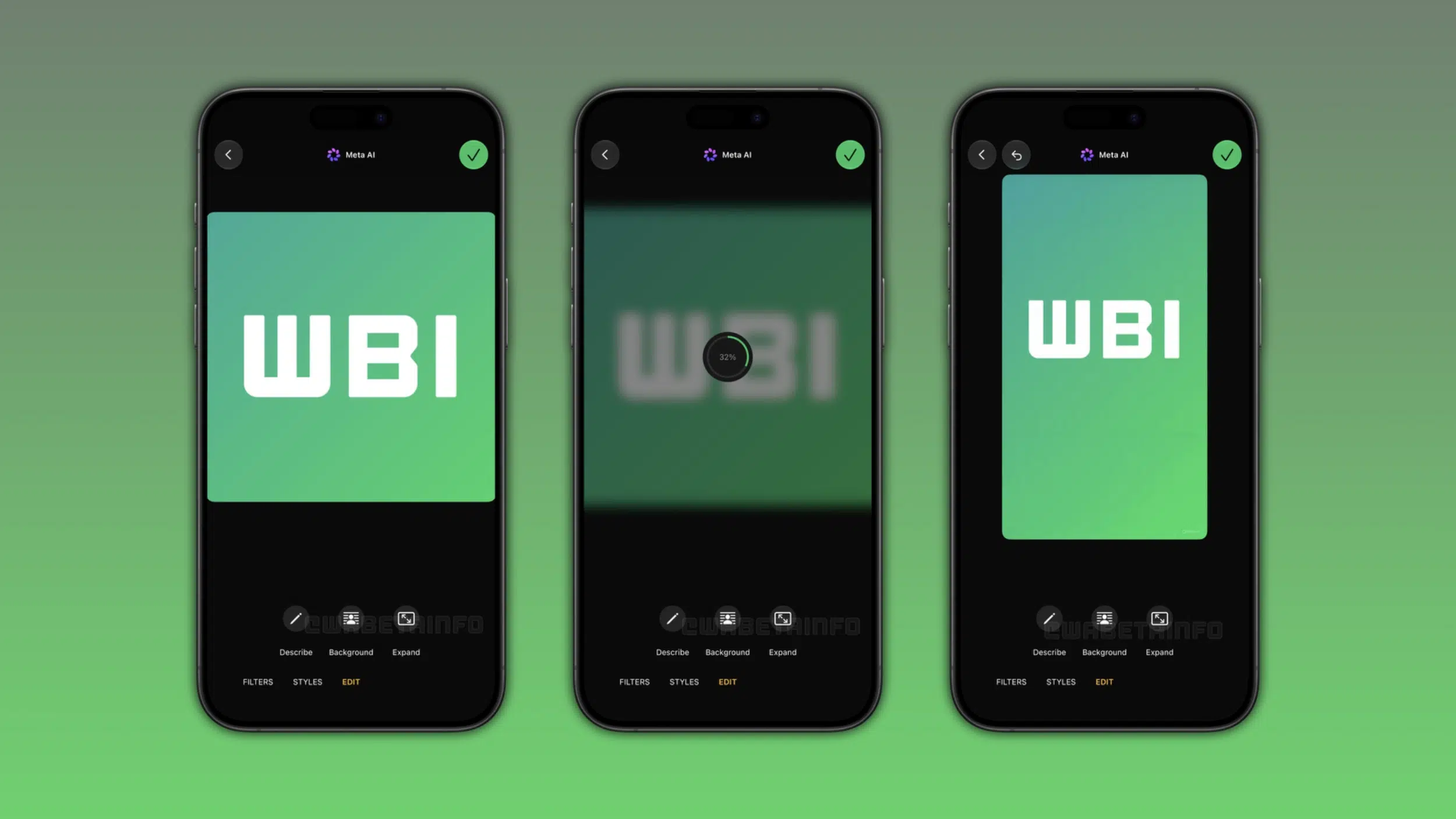
Expand sits next to Describe, Background and Animate in the Edit menu. Describe lets you type what you want to add or change in the photo, and Animate adds motion to it. The Restyle with AI screen has Filters and Styles as well, which apply a ready-made look to the photo.
You can also send a photo straight to the Meta AI chat with a text prompt, such as asking it to add a background or remove an object. The edited image then appears in that chat instead of the editor.
Expand reaches only some beta testers, and Meta AI is not in every country
WABetaInfo found Expand in WhatsApp beta 26.44.10.16 for iPhone, which you install through TestFlight, and some people can use it now. The App Store version has Expand for some people as well, and WhatsApp is adding more people over the coming weeks. Android already has the same Expand option.
Meta AI is limited to certain countries and languages, so you might not see Expand even on the newest build. WhatsApp warns that some AI-generated images might not be accurate or appropriate.
You choose which photos Meta AI gets, and you can delete your AI chats and the photos you sent at any time. Meta uses the prompts and messages you share with Meta AI to give you responses and to improve its AI quality.