 Lets face it. Google Chrome is an excellent browser. A lot of work is still going on it though, to improve it and fix various issues, therefore the existence of Beta (monthly) and Dev (weekly) channels along with the Stable quarterly releases.
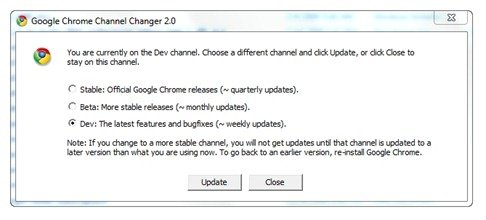
One way to chose the channel or the type of build you want to use is through the Google Chrome Channel Changer 2.0.
- Download it
- Run it
- Chose your channel (Stable, Beta or Dev)
- Restart Google Chrome.
That should update it to your desired channel. If it doesn’t,
- Opening the about box in Google Chrome
- It should show you that an update is available.
- Click on ‘update now’ and restart the browser after it’s done updating.
 Ever since Google changed the behavior of Google Update to only run in the background when the computer is idle, the above method doesn’t work for me. So, I did a little searching around and found these direct links to the latest Beta and Dev builds. Click on either of the following links to download:

Thankyou! It really helped :)
Glad to be of help :)