With the launch of iOS 14, Apple finally gave users more control over their home screen. One of the coolest features of the update is that users can create custom app icons or even rename them to change the look of their iPhone.
Creating custom icons on your device isn’t actually doing that, in fact, what you are doing is creating new Shortcuts that trigger the launch of an app, and using a custom image for that shortcut that then lives on your home screen instead. However, the process is relatively simple and is a fun way to switch up your home screen.

Learn how to create custom app icons on iPhone
Here’s how to create custom app icons on iPhone in a few simple steps:
- Launch Shortcuts and tap the My Shortcuts tab on the bottom-left corner.
- Tap the plus button (+) to create a new shortcut.
- Tap Add Action and type Open app in the search bar. Tap on the action to add it.
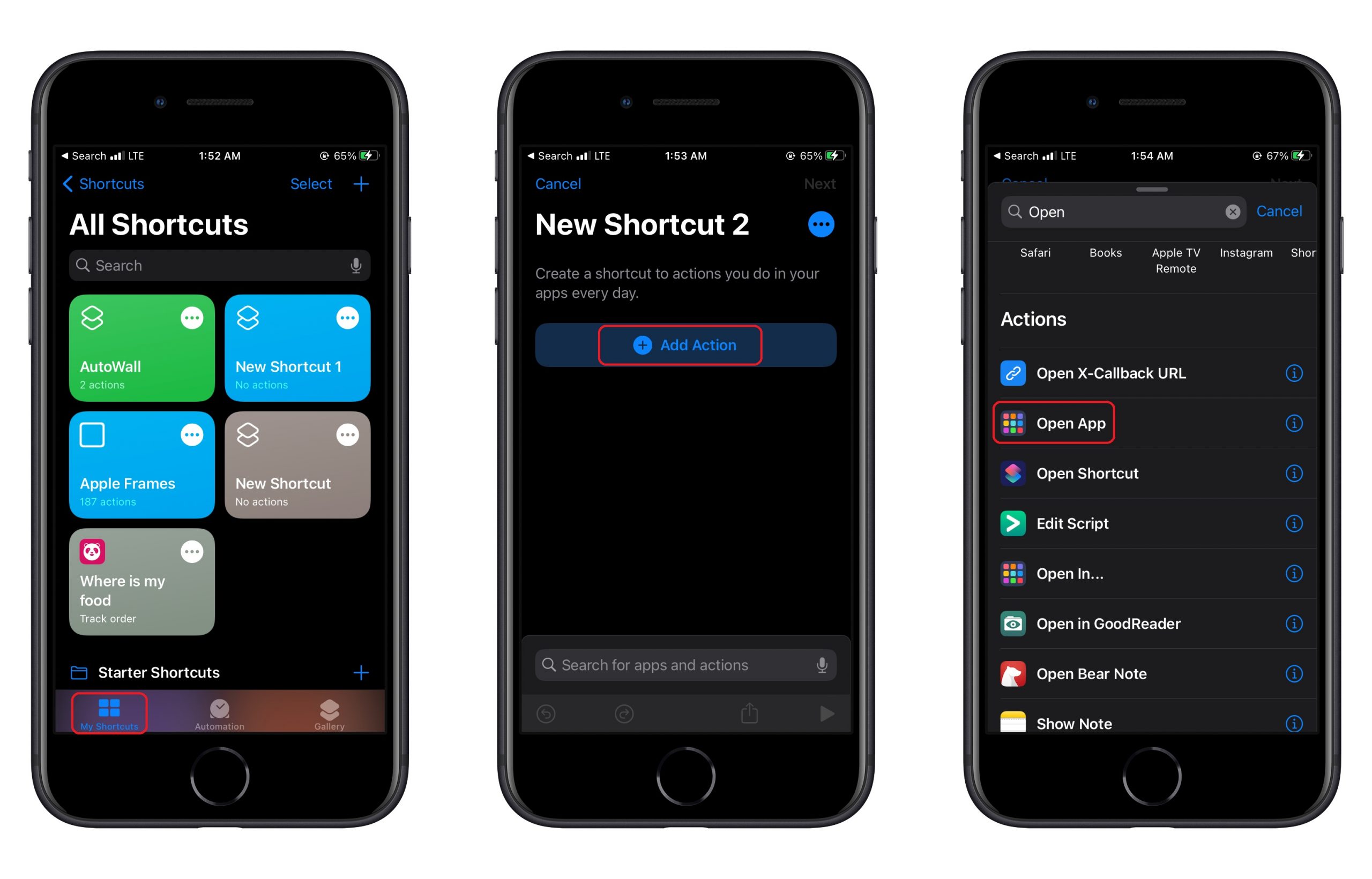
- Search and tap on the app you want to open.
- Tap on the three dots in the top-right corner.
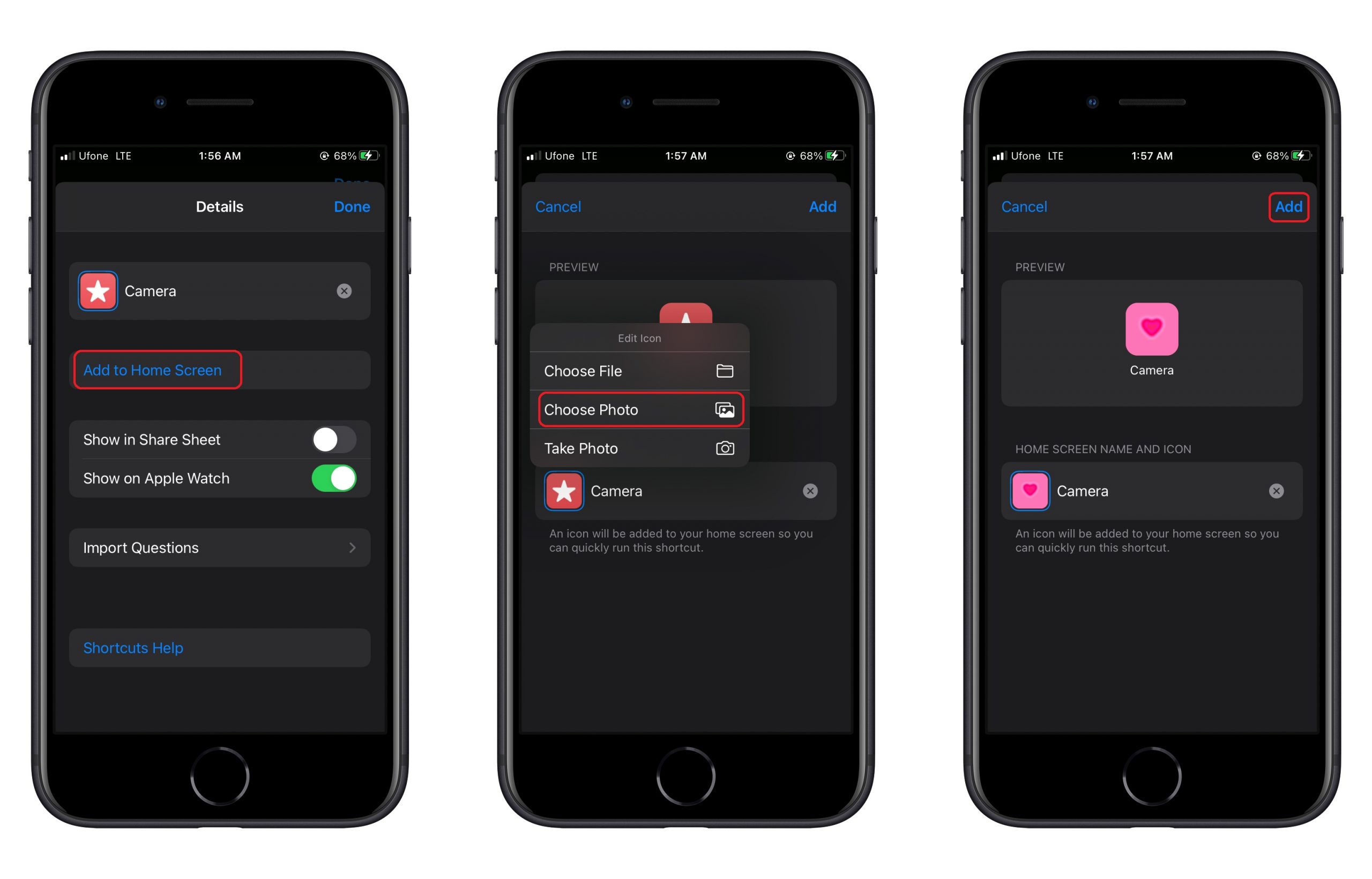
- Tap Add to Home Screen and add a name to your shortcut name > tap on Done.
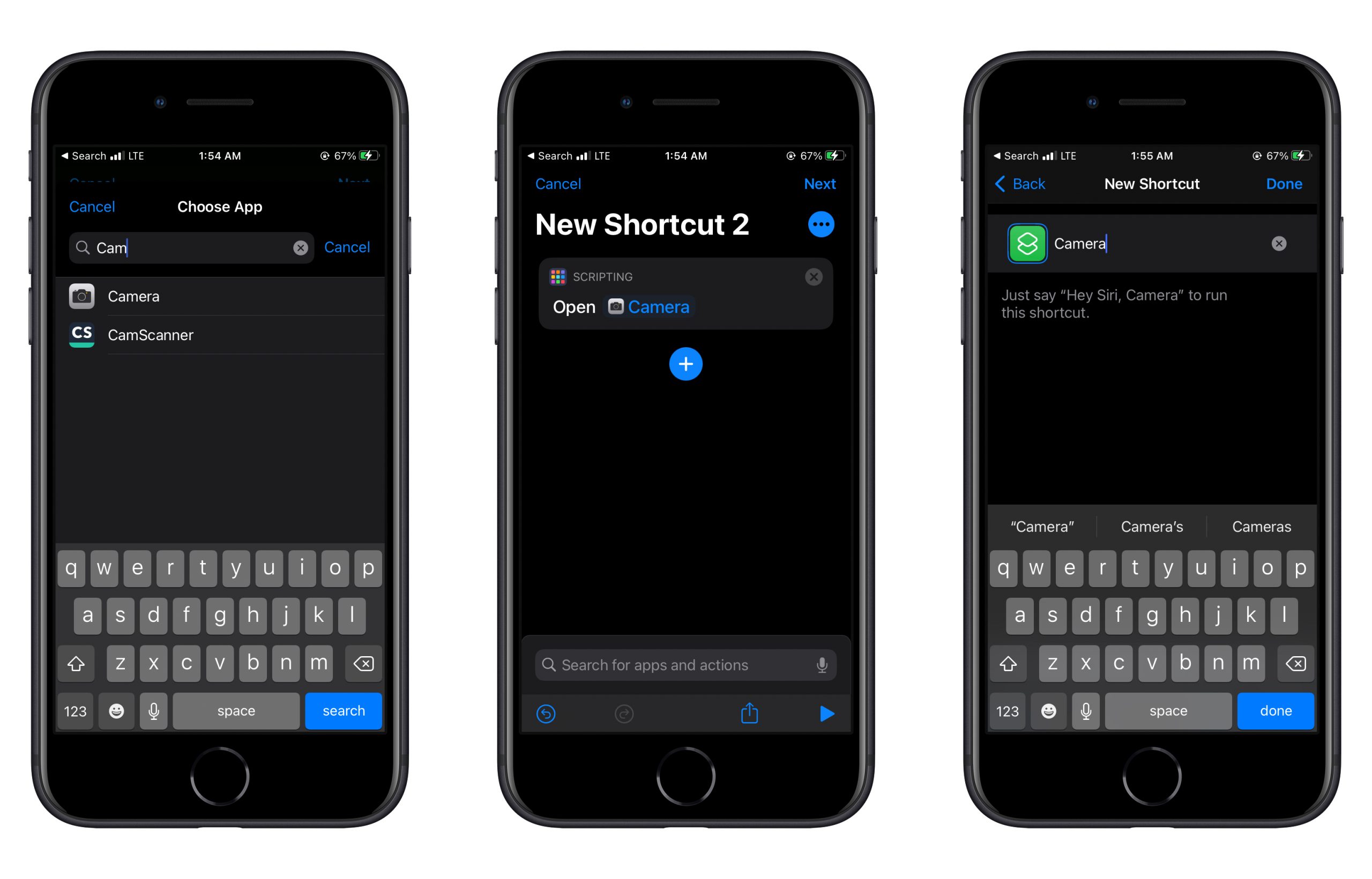
- Go to the previous screen and tap the shortcut.
- Tap on Add to Home Screen. On the next page, tap on the shortcut’s icon and select Choose Photo.
- Tap Add.


Make sure to remove the original app icon from your home screen in order to prevent duplication. We hope this guide helped you learn how to create custom app icons on iPhone. If you have any questions, let us know in the comments below.
Read more:
- How to set a music streaming service as default with Siri on iOS 14.5
- How to change iPhone alarm to your favorite song
- How to download apps larger than 200MB over cellular data on iPhone
- How to set reminders for Apple Music tracks and albums on iOS 14.5
- How to use iOS 14.5’s app tracking transparency to block apps from tracking you
- How to free iCloud storage by deleting old backups
- Found an unknown AirTag moving with you? Here is how to disable it
- How to share iPhone screenshots without saving them to Photos
- How to unlock iPhone with Apple Watch while wearing a face mask
- How to launch actions by tapping on the back of your iPhone


1 comment