Apple recently rolled out Dolby Atmos Spatial Audio for Apple Music subscribers. Dolby Atmos support allows users to listen to music with a 360 audio experience. Instruments will sound as if they are around the listener. The immersive experience is aimed at enhancing how music sounds to listeners. Here is a simple guide you can follow to enable Apple Music Dolby Atmos Spatial Audio on iPhone.
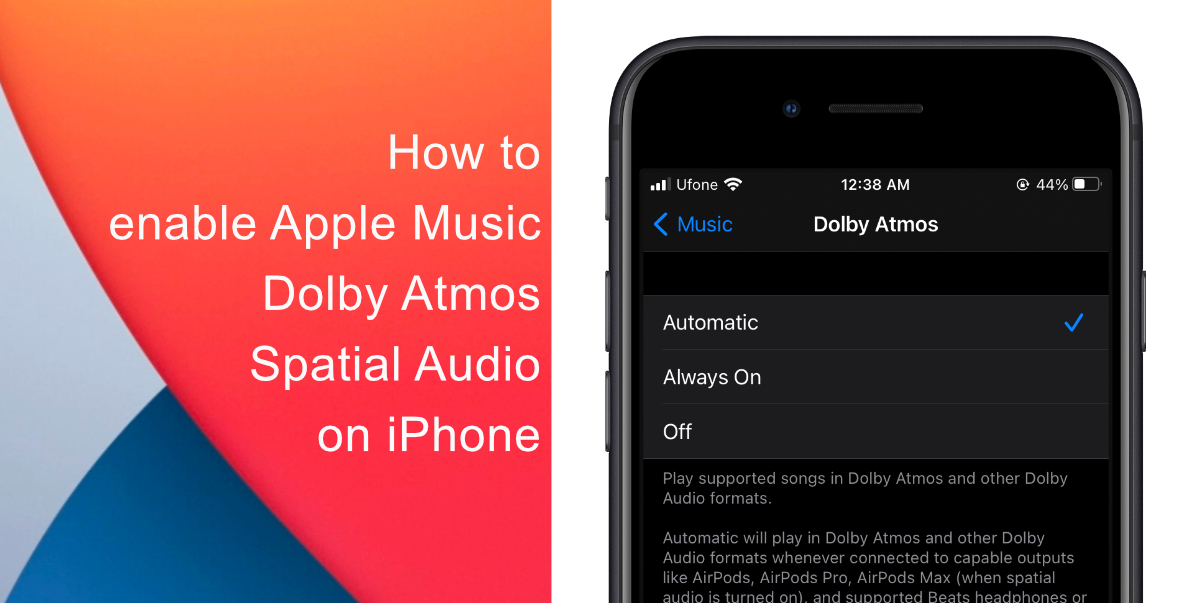
Learn how to enable Apple Music Dolby Atmos Spatial Audio on iPhone
- Launch Settings on your device.
- Tap Music.
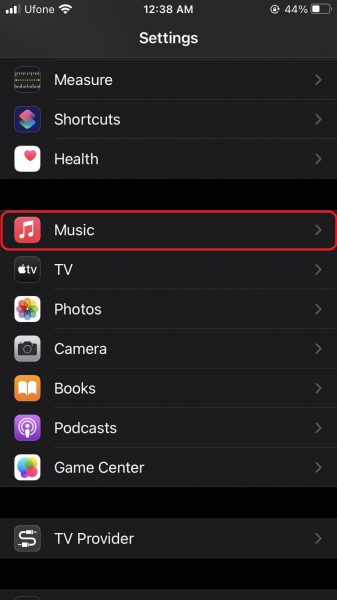
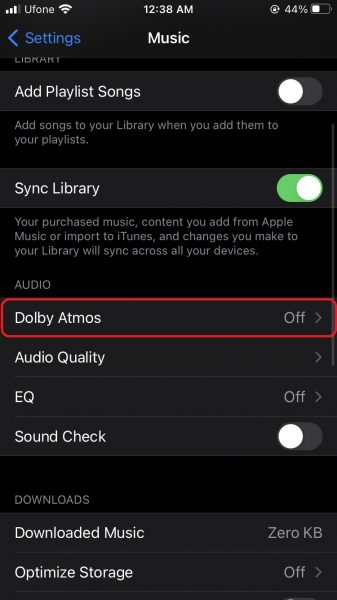
- Tap Dolby Atmos under Audio.
- Select from Automatic, Always On, and Off.
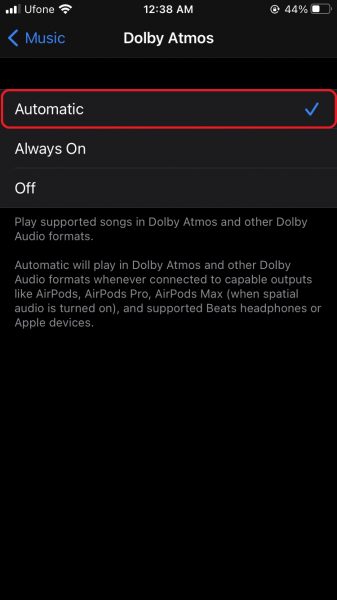
Now that you have enabled support for Dolby Atmos, you will be able to hear the music in a simulated 3D audio space, providing more depth and intensity to audio that adjusts when you move your head. Note that Apple Music will play supported tracks on all AirPods and Beats headphones with an H1 or W1 chip.
Thousands of songs in the Apple Music catalog offer support for the audio effect with artists including Maroon 5, The Weeknd, Olivia Rodrigo, and Ariana Grande. The tech giant plans to add new Dolby Atmos tracks on a regular basis and will offer users a curated selection of Dolby Atmos playlists. Tracks that support the audio effect in Apple Music will sport a logo in the app interface.
We hope this guide helped you learn how to enable Apple Music Dolby Atmos Spatial Audio on iPhone. If you have any questions, let us know in the comments below.
Read more:
- How to set a music streaming service as default with Siri on iOS 14.5
- How to change iPhone alarm to your favorite song
- How to download apps larger than 200MB over cellular data on iPhone
- How to set reminders for Apple Music tracks and albums on iOS 14.5
- How to use iOS 14.5’s app tracking transparency to block apps from tracking you
- How to free iCloud storage by deleting old backups
- Found an unknown AirTag moving with you? Here is how to disable it
- How to share iPhone screenshots without saving them to Photos
- How to unlock iPhone with Apple Watch while wearing a face mask
- How to launch actions by tapping on the back of your iPhone





1 comment